

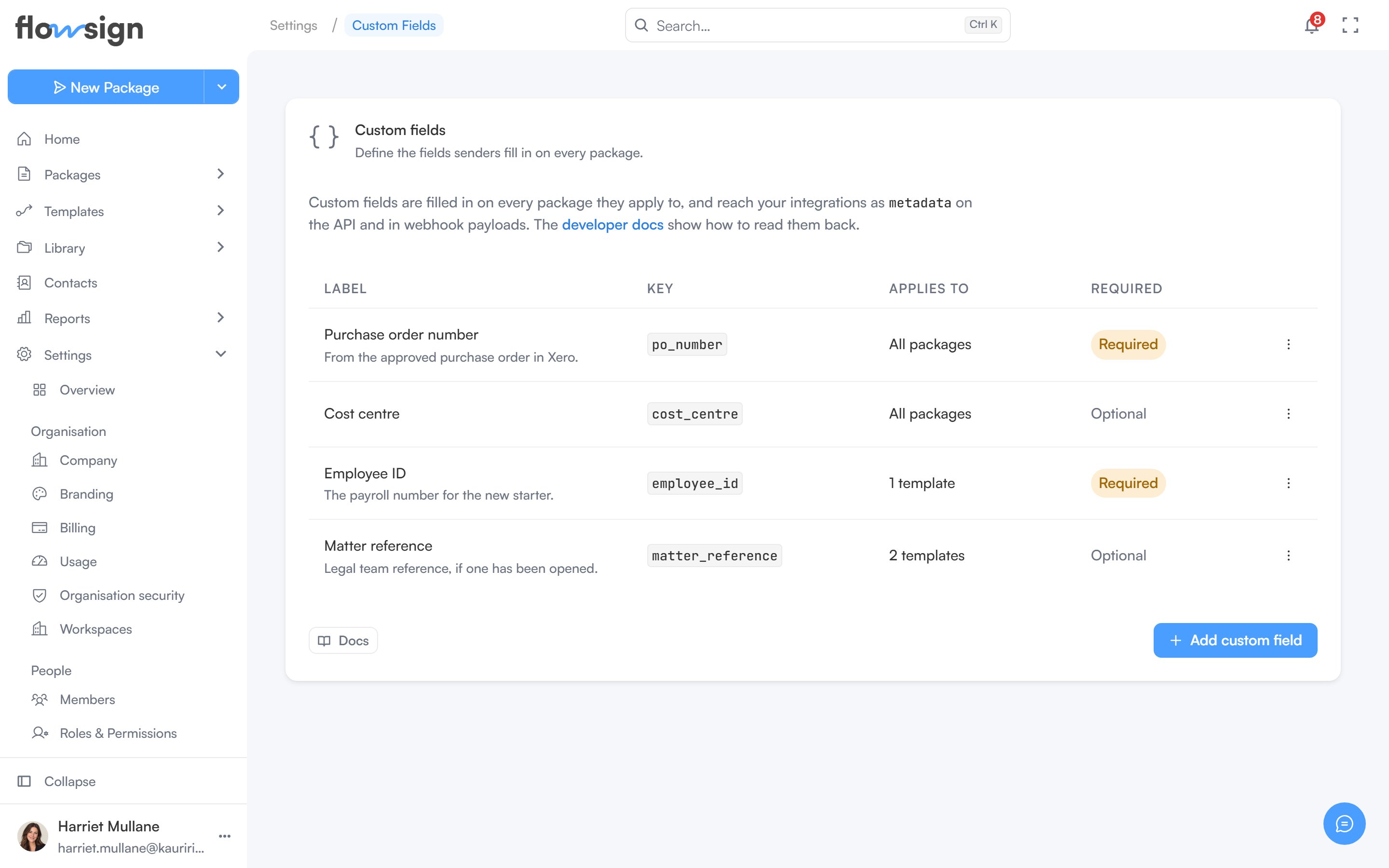
Custom fields (“Define the fields senders fill in on every package.”) requires the Enterprise plan; on a lower plan the section shows an upgrade prompt instead. Managing them also requires the manage custom fields permission, without which the page reads You don’t have access to custom fields.
The custom fields settings page with an empty table

Custom fields, before any definitions have been added.

Definitions are live: what you add here is what senders fill in on every package it applies to, and the value is carried through to the API and every webhook payload under its key.

The table

Each definition is a row with:
  • Label, with its help text underneath if it has any.
  • Key, shown as a code chip.
  • Applies to, reading All packages or a count of templates.
  • Required or Optional.
A row’s actions menu offers Edit and Archive; clicking the row opens it for editing. An empty list shows No custom fields yet: “Add a field like an employee ID and every package it applies to will carry that value through to your integrations.”

Adding or editing a definition

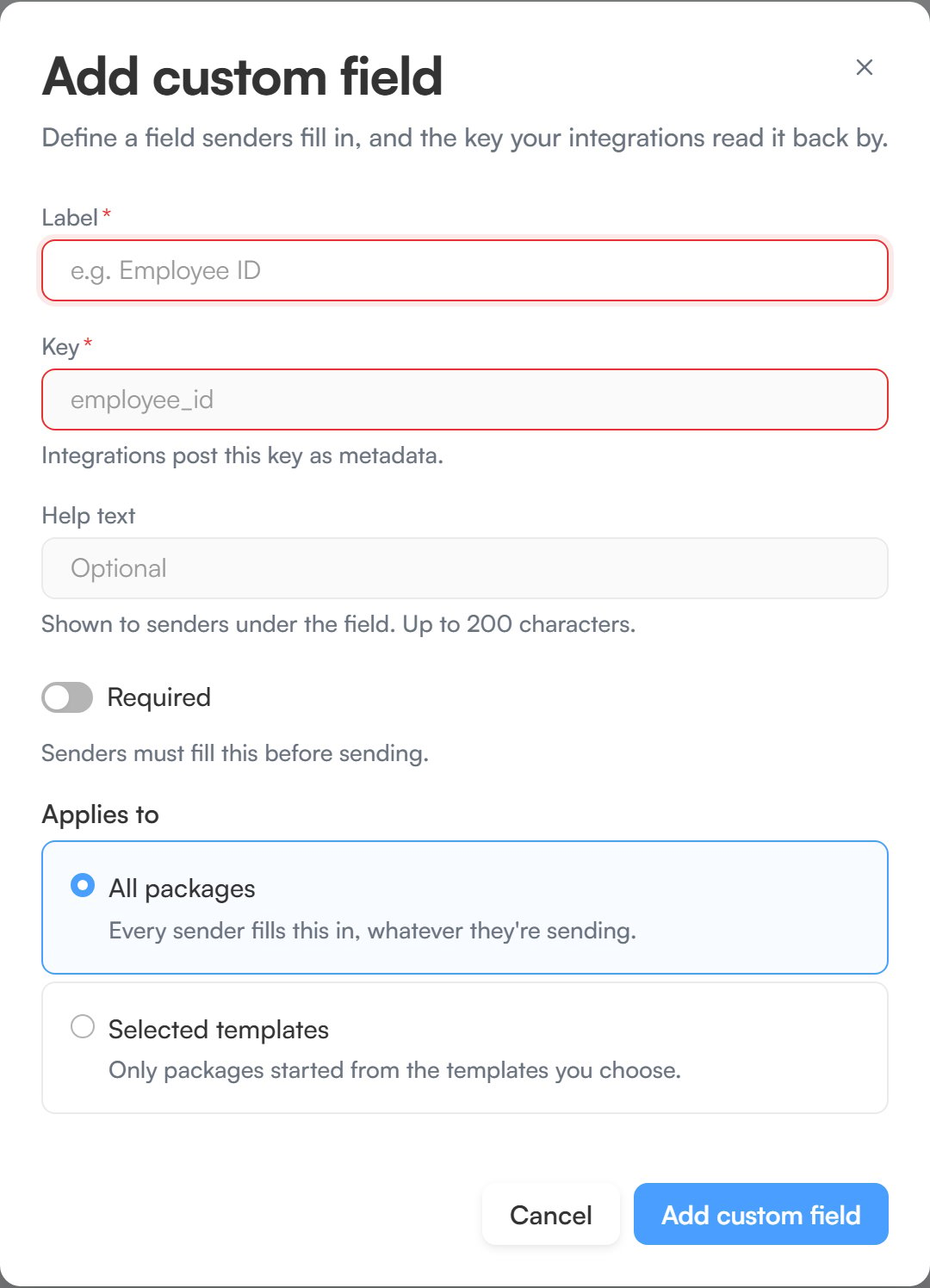
Add custom field (“Define a field senders fill in, and the key your integrations read it back by.”) asks for:
  • Label, for example Employee ID.
  • Key, for example employee_id. Keys are lowercase letters, digits and underscores, start with a letter, and cannot change once saved.
  • Help text, optional, shown to senders under the field.
  • Required, a switch: senders must fill it before sending.
  • Applies to, either All packages (“Every sender fills this in, whatever they’re sending.”) or Selected templates (“Only packages started from the templates you choose.”), which then asks you to pick them under Templates.
Editing an existing field (“Change what senders see. The key stays as it is.”) offers the same form with the key locked, saved with Save changes.
The add custom field dialog with Label, Key, Help text, Required and Applies to fields

Adding a custom field.

An organisation can have up to 20 custom fields. Once it reaches that, archive one to add another.

Archiving

Archive custom field (“Senders will stop seeing this field.”) removes the field from new packages. Choosing Archive from a row’s menu opens this dialog, and Archive field confirms it.