

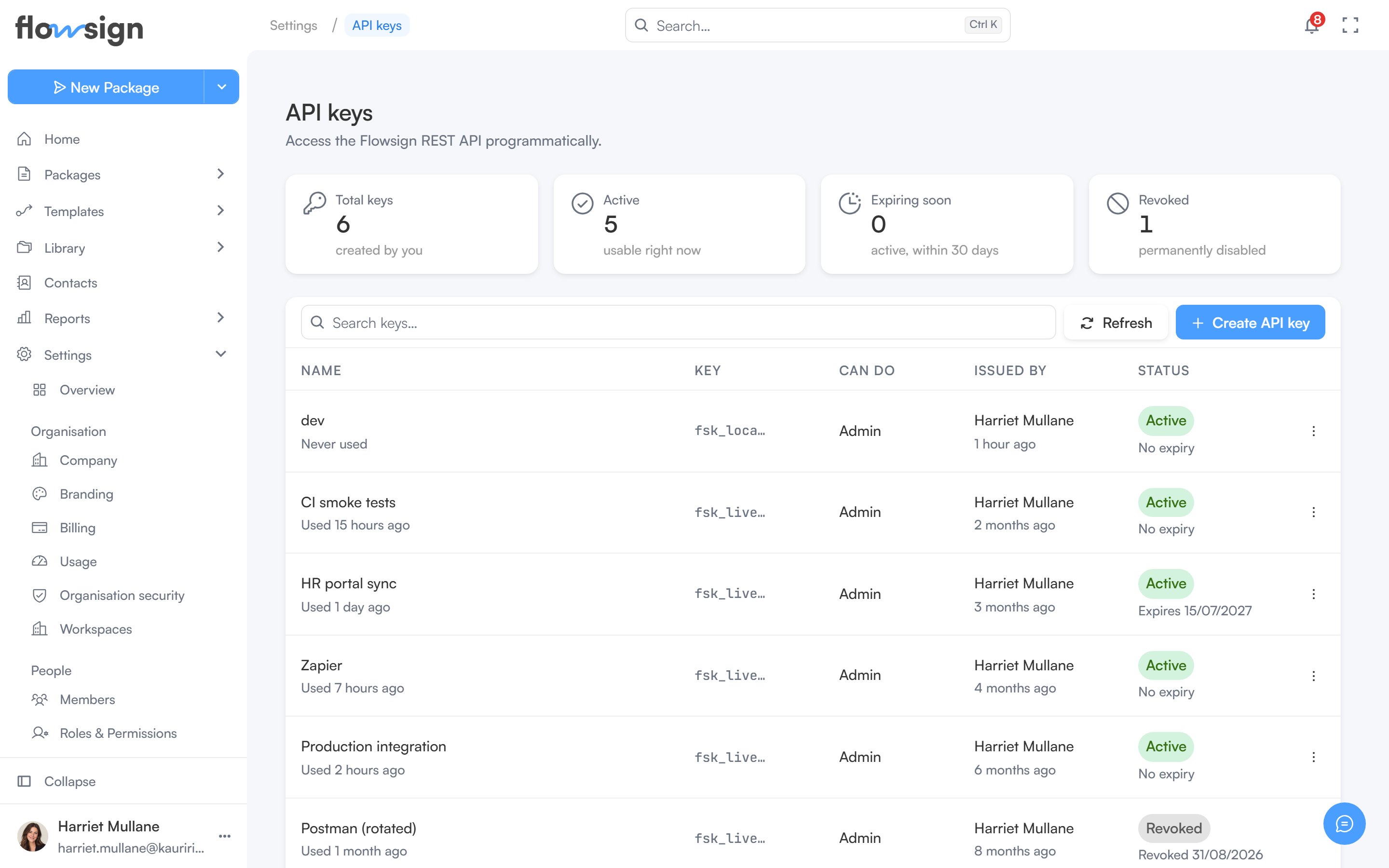
API keys is for owners only, and requires the Enterprise plan; on a lower plan the page shows an upgrade prompt instead. Only an owner can create or revoke keys, and the role a key is given must have permission to access the API.
The API keys settings page listing keys by name, prefix, role, issuer and status

API keys, listing each key's name, key prefix, what it can do, who issued it and its status.

Manage the organisation’s API keys here: create a new key, and revoke ones you no longer use. Four cards summarise them (Total keys, Active, Expiring soon and Revoked), and the table lists each key’s Name (with when it was last used), Key prefix, Can do, Issued by and Status. An organisation can hold up to 50 unrevoked keys at a time, and expired keys count until they are revoked; revoke one to make room for another. See the API reference for how to authenticate requests with a key.

Creating a key

Create API key asks for:
  • Name, for example Production server.
  • Can do, the role the key acts as. The key acts as this role, not as you, and only roles with API access are listed.
  • Workspace, the one workspace the key works in.
  • Expiry, optional. Leave it blank for a key that never expires.
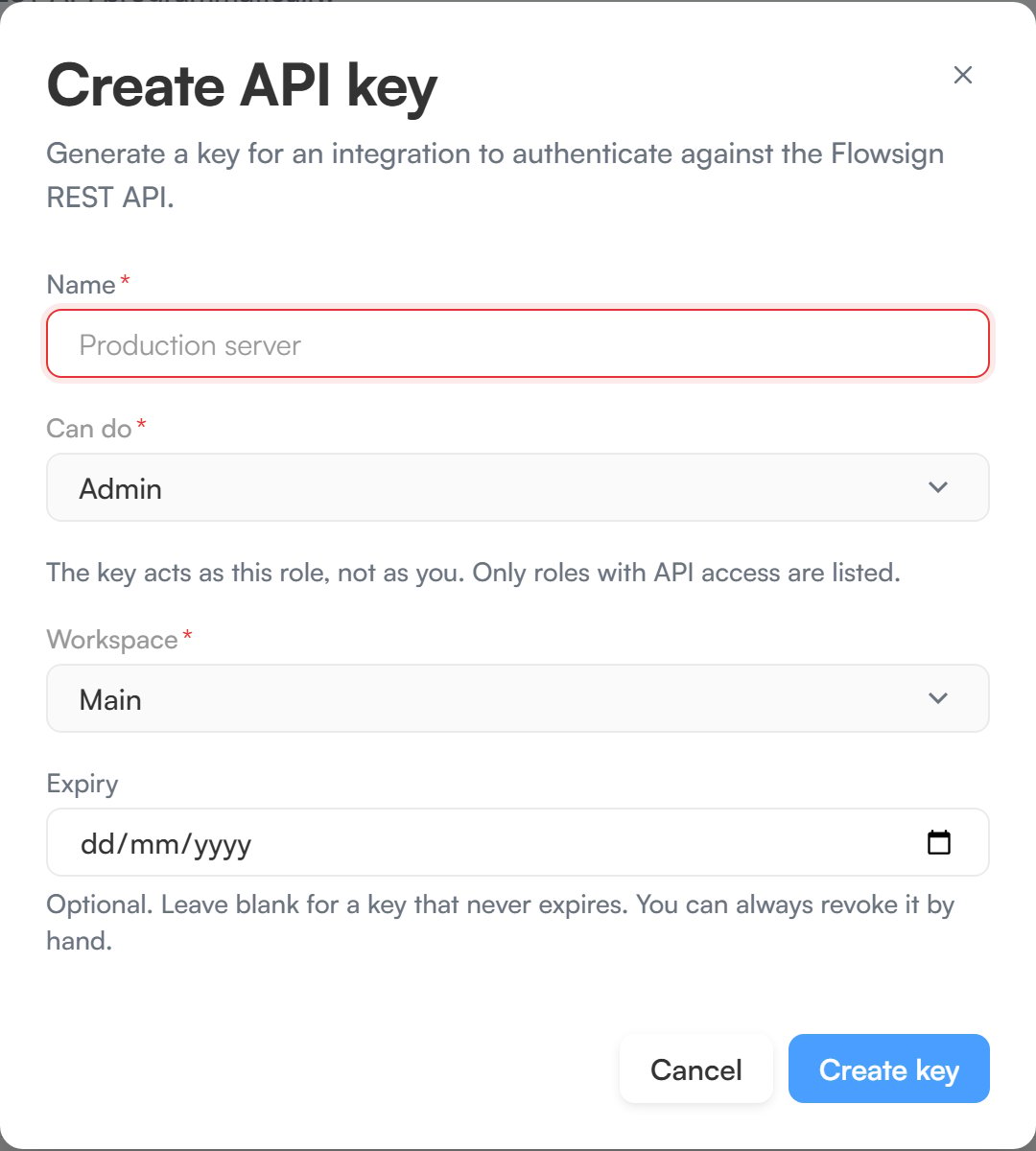
Click Create key. The key is shown once, in Save your API key. Copy it straight away: it can’t be retrieved or rotated later, so if you lose it, revoke the key and create a new one.
The create API key dialog with Name, Can do, Workspace and Expiry fields

Creating an API key.

Revoking a key

Revoke key stops a key working straight away. This cannot be undone.