

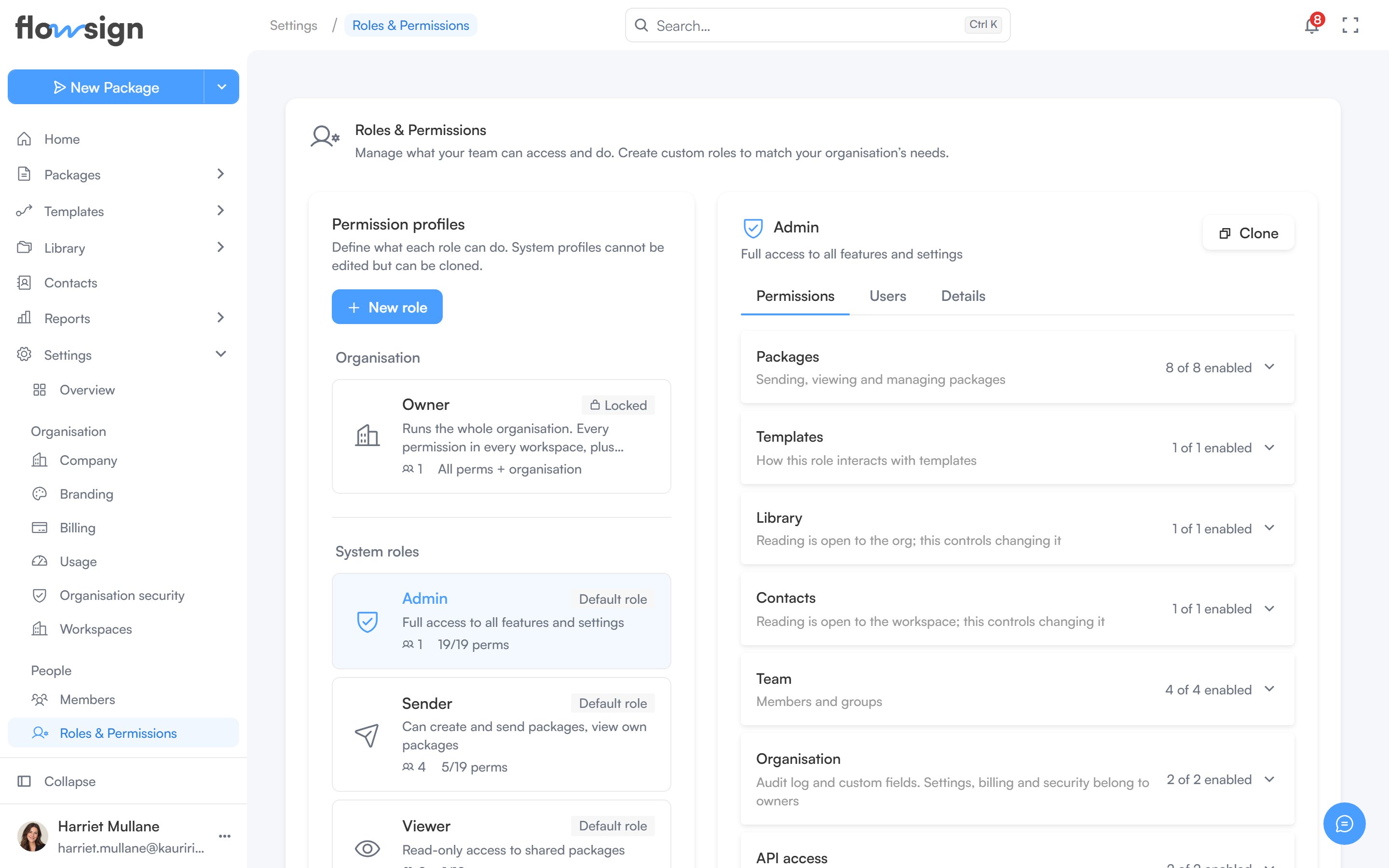
Permission profiles, and what each one allows.
Profile list and detail
Select a profile from the list to open it in the panel beside it. The panel has three tabs:- Permissions: the profile’s permissions, grouped into Packages, Templates, Library, Contacts, Team, Organisation and API access, with a search to find one by name. Templates sets Template access to No access, Use or Create. Edits are saved with Save changes.
- Users: the members assigned to the profile, with Manage members to change who has it on Members.
- Details: the name, description, whether it’s built in or custom, how many users are assigned, and when it was created.
- Clone it into a new custom profile, pre-named
<name> (copy). - Delete it (custom profiles only).
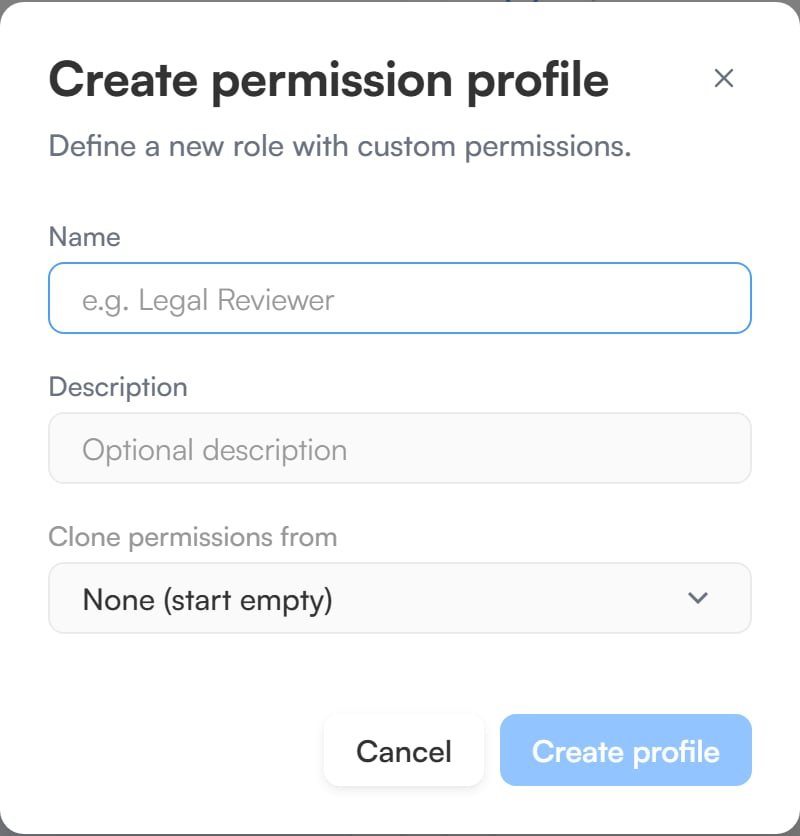
Create permission profile, with an optional profile to clone from.
Owner
Owner is a locked, built-in role at organisation level. It can’t be edited, cloned or deleted. Workspace roles (Admin, Sender, Viewer and your custom roles) apply one workspace at a time; Owner sits above every workspace. An Owner has every workspace permission in every workspace. While someone is an Owner, their workspace role has no effect. On top of that, only an Owner can:- Invite members to the organisation.
- Make other members Owner, or revoke it.
- See every workspace, create workspaces and rename them.
- Create, edit and delete custom roles.
- Manage billing: change or cancel the plan, update the payment method and billing email, and view invoices and usage.
- Edit company details and branding.
- Manage organisation security: single sign-on, verified domains, user provisioning (SCIM), session timeout, the IP allowlist and data retention.
- Create and manage API keys.
- Connect and manage integrations.
- Sign in with a password when Require SSO is on.