

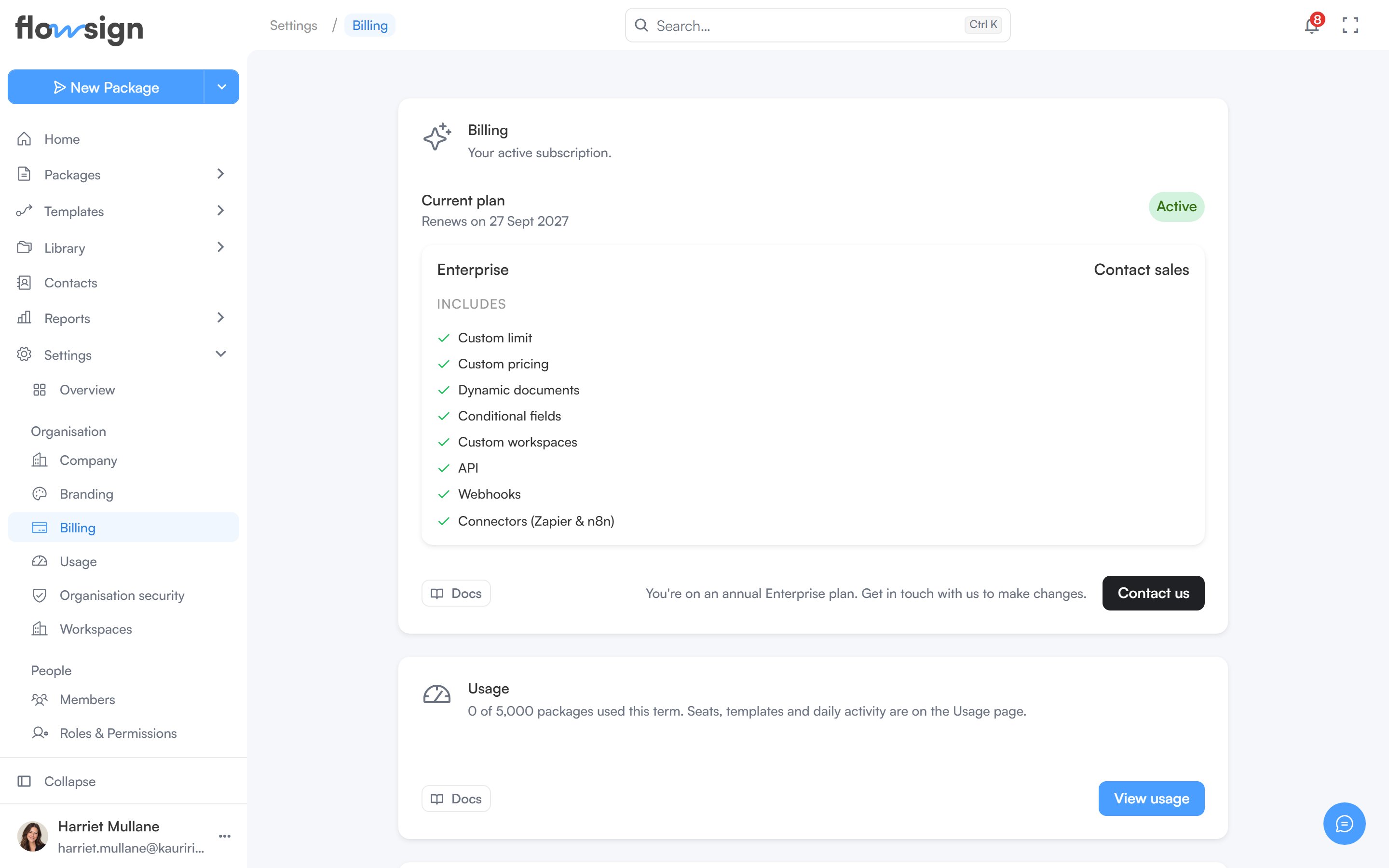
Billing, with the current plan and usage.
Billing
Your current plan is shown as a card (two cards if an ended plan sits alongside it). Change plan opens the plan picker, which compares the plans and their features side by side. Cancel subscription is offered on an active subscription that isn’t already set to cancel, and asks why you’re leaving before it confirms. A cancelled plan that is still active until the end of its term can be kept with Renew plan, and an ended one brought back with Resume subscription.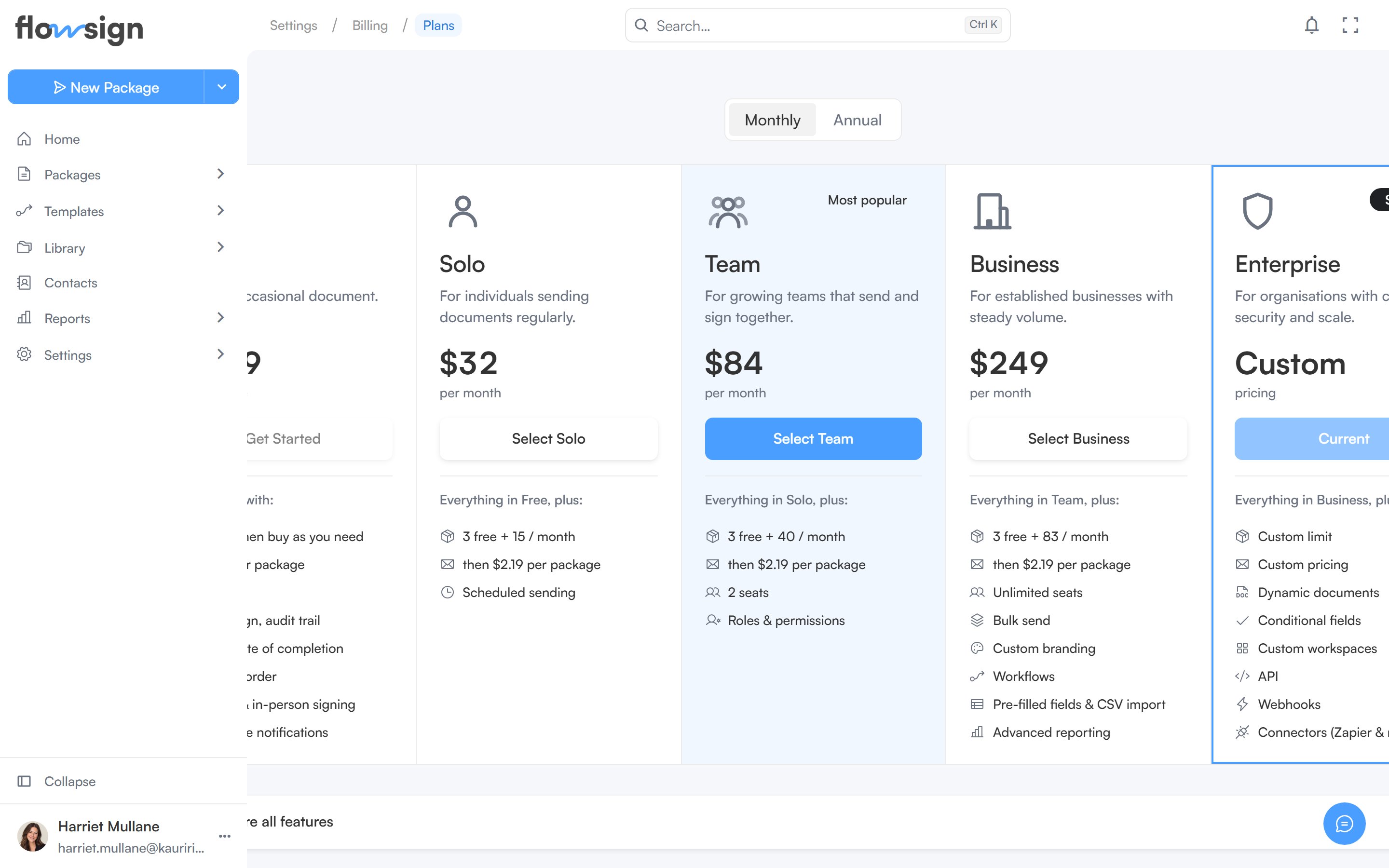
The plan picker, comparing plans and their features side by side.
Usage
The Usage section shows packages used this term against your plan’s allowance, with View usage for the full picture.- Buy packages tops up your balance at one flat rate on every plan. Bought packages last twelve months and are used once your plan’s included packages run out.
- View usage opens Usage (Settings > Usage). Usage & limits shows packages, seats and templates against your plan. Usage analytics charts daily activity (Packages used, Signers completed and API actions) for a period you choose.
When you run out of packages, sending stops until you buy more: sending from the app, a template, a bulk send or the API is declined with a message pointing you to Settings > Billing. Scheduling a send sets aside a package when you schedule it, so a scheduled send can’t be scheduled without one available.
Billing email
Where receipts and invoices are sent. Change opens an editable field; Save or Cancel to leave it. On direct invoice billing the address is managed by our team, so to change it contact your account manager.How you pay
How you’re billed decides what the rest of the page shows.- Card: Payment method shows the card we charge for your subscription, with a way to add or replace it. To be invoiced on 30-day terms instead, contact us.
- Invoice billing: How you pay replaces the card section and shows that you’re billed by invoice on 30-day terms, with an optional Purchase order number carried on every invoice.
- Direct invoice billing: arranged with our team, typically for Enterprise. How you pay shows your invoice terms, and a Your account manager section (or Billing support) gives you a direct contact for invoices, payment terms, purchase order numbers and extra packages. There’s no card, Stripe portal or self-service cancellation in this mode.
Invoices and Manage account
- Invoices: View invoices opens the full invoice list, with line items and downloadable PDFs for each.
- Manage account: Manage in Stripe opens Stripe’s customer portal for tax IDs, disputes and anything not covered above. Shown when you pay by card.