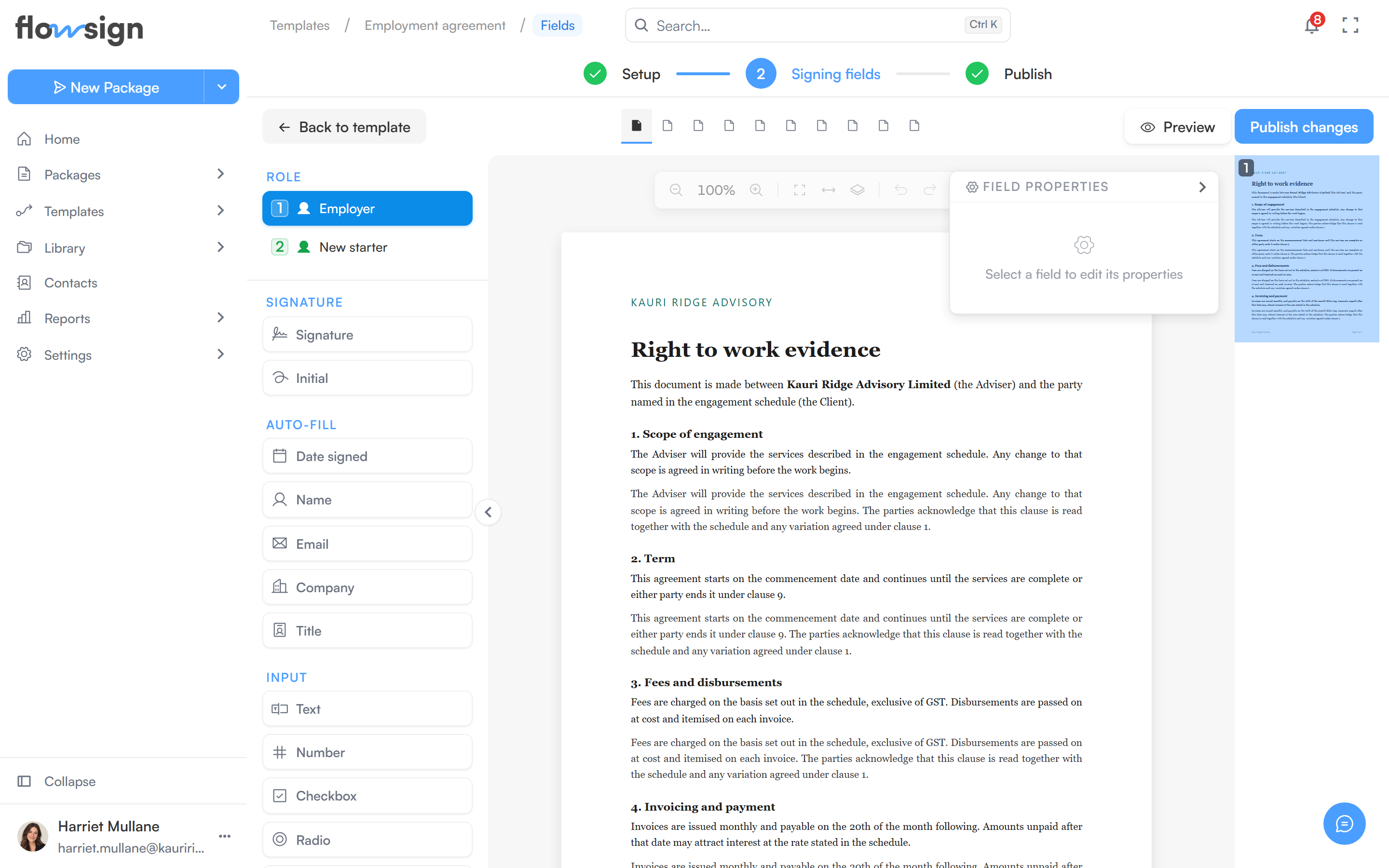
Place and assign a template’s signing fields per role, across its documents.
The template field editor is the same canvas and palette as a package’s field editor, with one difference: fields are assigned to a role (from the template’s Roles section) instead of a named recipient, since the actual people are only chosen when the template is used to send a package or bulk send.
The template field editor, the same canvas a package uses.
Document tabs across the top switch between the template’s documents. Dynamic documents (Word files that adapt to each send) don’t appear here, because fields are placed on rendered PDF pages. A selector under Role picks which role’s fields you’re placing.Save fields saves your changes; leaving with unsaved changes prompts you to save first. Publish (or Publish changes on a published template) saves, checks the template and publishes it from here, then takes you to All Templates; if something still needs fixing, it takes you to the document or builder section at fault. Back to template returns to the template builder.