

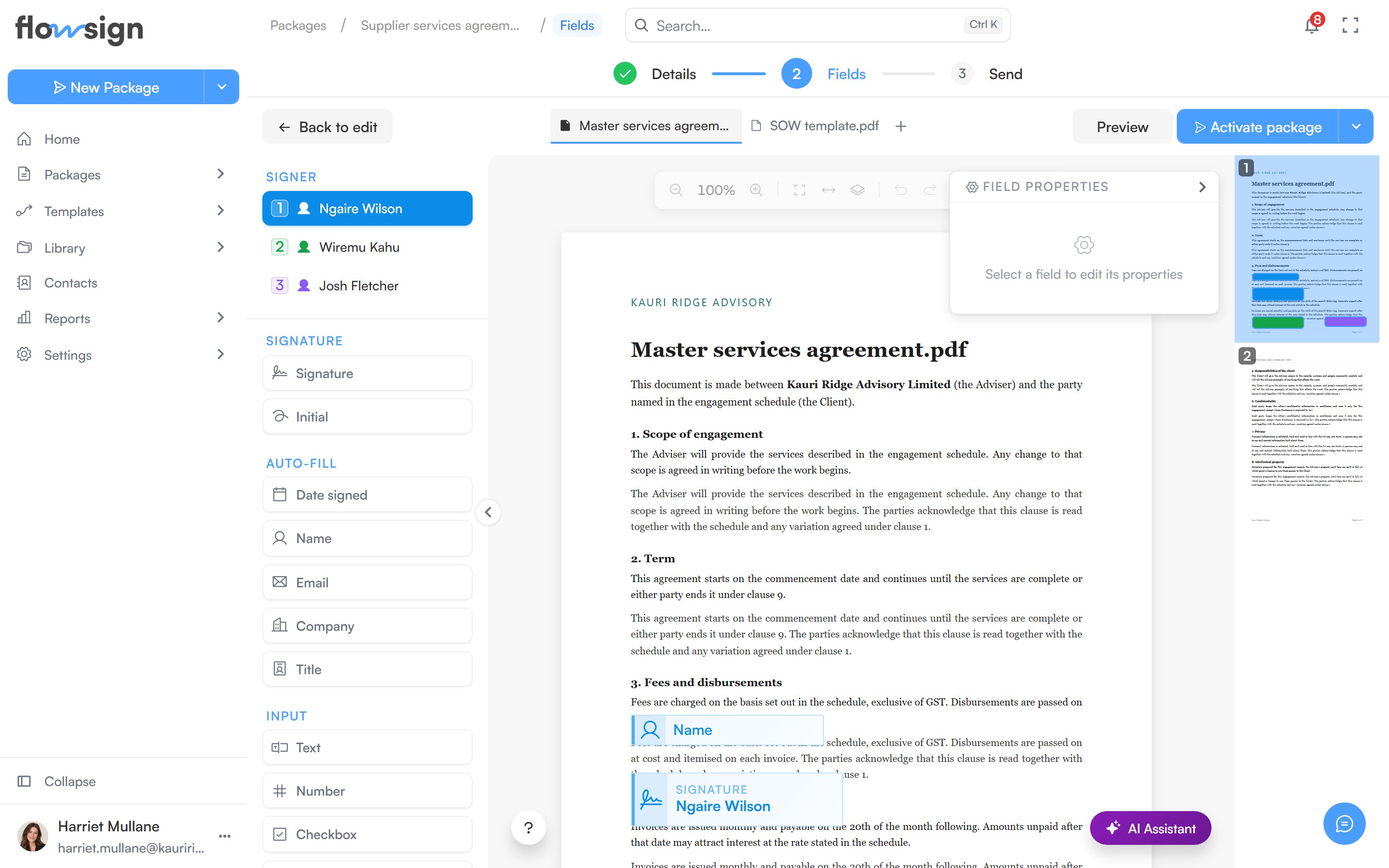
The field editor, placing fields on a draft's documents.
Signer selector
Under Signer, choose which recipient you are placing fields for. Each recipient’s fields are colour-coded, so you can see at a glance who owns what across the document. If there are no signers yet, add a recipient first.Field palette
Drag a field type onto the page. Available types:- Signature: Signature, Initial.
- Auto-fill (filled automatically from the recipient’s details): Date signed, Name, Email, Company, Title.
- Input: Text, Number, Checkbox, Radio, Dropdown, Comment.