

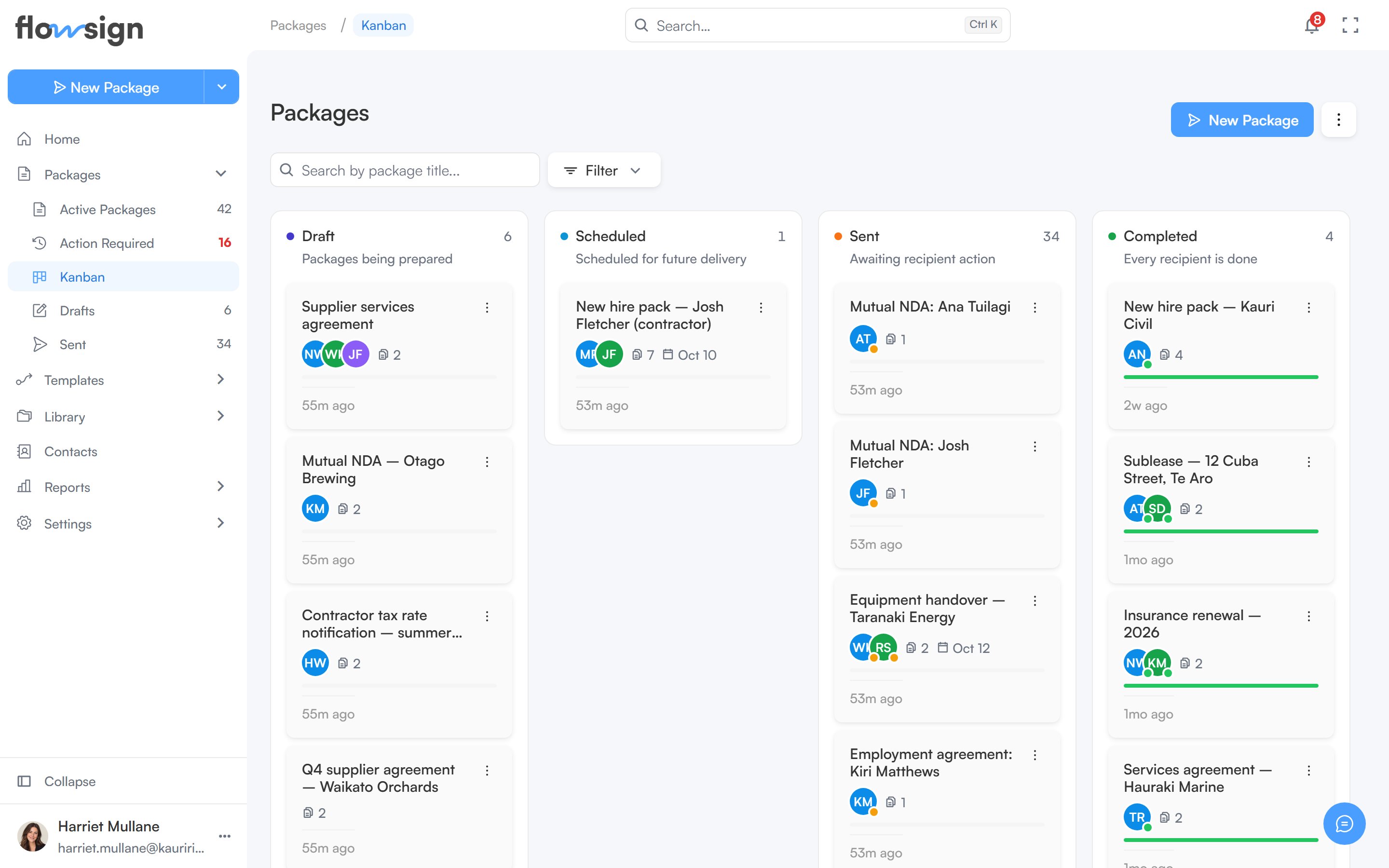
The Board view (reached from Packages via the Packages options menu, or from Packages → Kanban in the sidebar) shows packages as cards grouped into lanes by status.
The packages board view with a column for each status

The board view, one column per package status.

New Package starts a new package (hidden without canSendPackages). The Packages options menu switches back to List.

Toolbar

  • A search box, placeholder Search by package title….
  • A filter menu with these sections:
    • Viewing (only if your role has canViewAllPackages): show packages from Me, Specific team members, Member group or Everyone.
    • Sort: Last activity, Recently created, Due date (soonest) or Name (A–Z).
    • Created: a date range.
  • A Lanes menu to choose which status lanes are visible, with a reset to defaults. At least one lane always stays on.
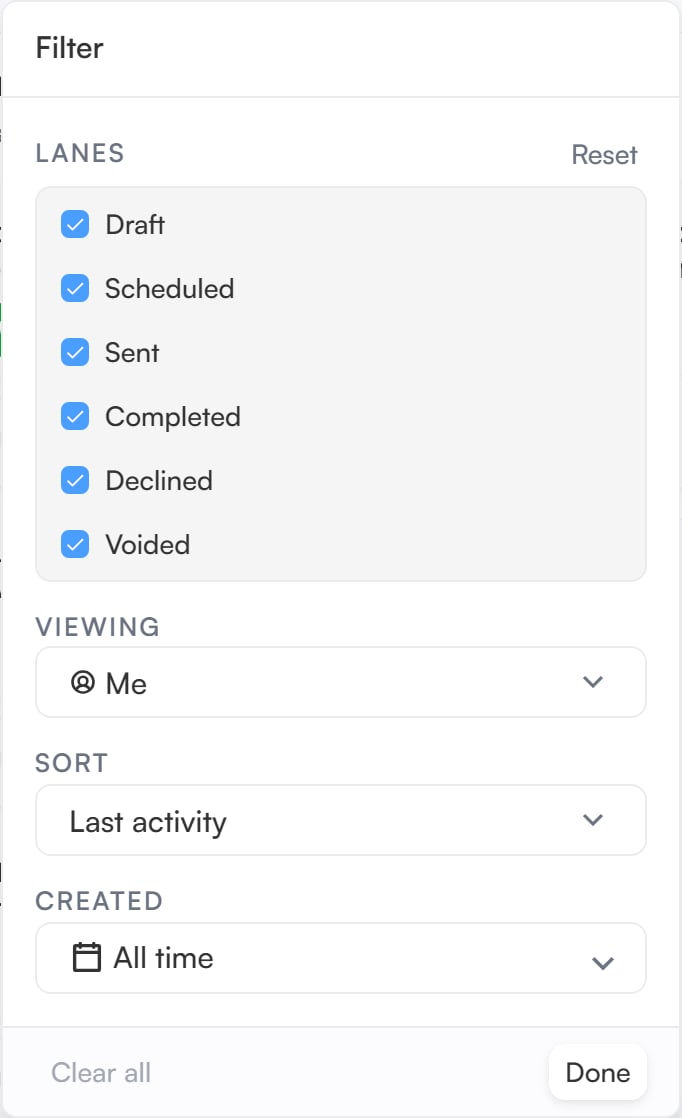
The board view's filter menu open, showing its sort, date and lane options

The board's filter menu, including the lane choices.

Board

The board has six lanes: Draft, Scheduled, Sent, Completed, Declined and Voided. Packages that are On Hold sit in the Sent lane, since they are paused while out with recipients. Each lane shows a running total and the matching package cards. A very full lane shows its first cards and notes how many it is showing out of the total. Cards can’t be dragged between lanes: a package moves when its status changes. Use a card’s actions menu to act on it, or click it to open a preview panel beside the board, with a link through to the package detail page. If the Lanes menu hides any lanes, a note above the board says how many lanes are hidden and how many packages they hold, with Show all lanes to bring them back.