

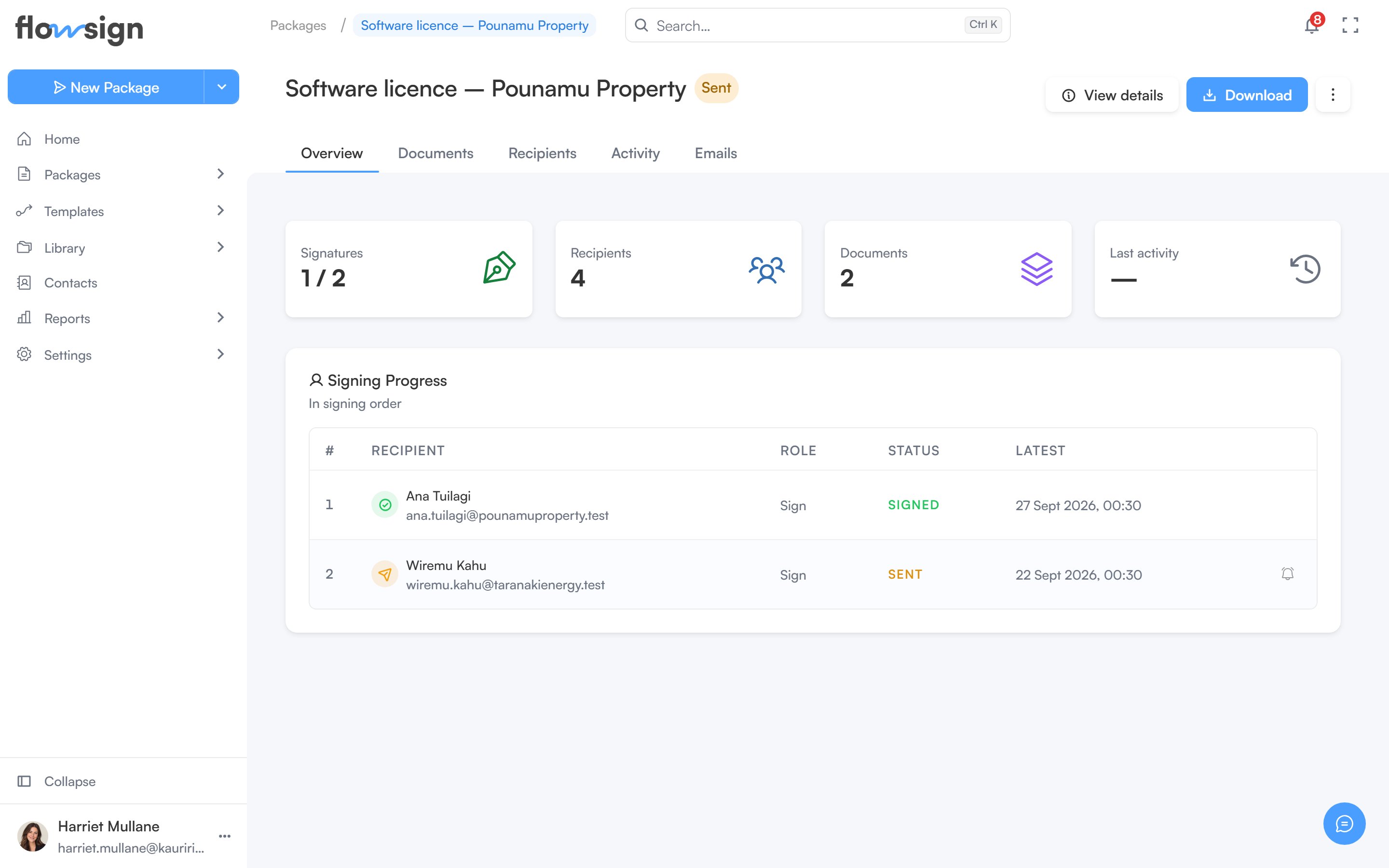
A sent package, with its recipients and activity timeline.
Header
The header shows the package title, its status tag and, if it is mid-correction, a correction tag that links back to the correction. Actions on the right:- View details opens Package details: Package ID (with a copy button), Description, Created, Scheduled for (scheduled packages only), Date sent, Last updated, Sent by, Recipient password and Template.
- Download lets you download each document and, once every recipient has signed and the package is complete, the Certificate of Completion. Before then you get the documents as they were sent.
- An actions menu with, depending on status and permissions: Sign in person, Send reminder, Duplicate, Download, Correct package (or Continue correcting), Discard correction, Cancel scheduled send, Put on hold, Resume and Delete.
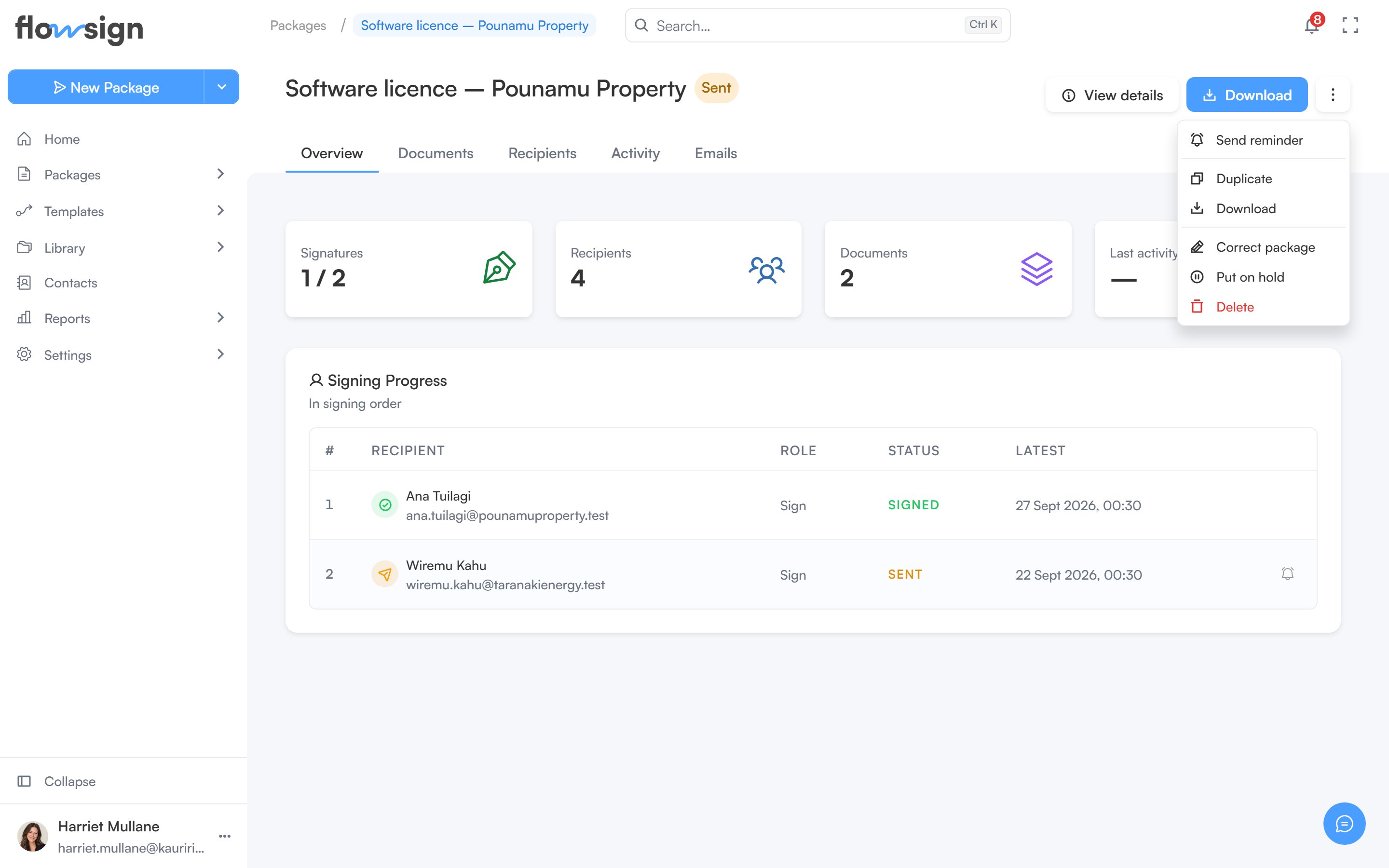
The actions menu on a sent package.
Correcting a sent package
Correct package lets you edit a copy. Recipients keep the package exactly as sent until you publish the correction, and a correction can’t be published once anyone has opened the package. Once a recipient has opened a package it cannot change: to fix it, choose Void and start fresh, which voids the package, tells everyone involved and gives you a new draft with the same documents and recipients. Nothing already signed carries over.Tabs
- Overview: stat tiles (Signatures, Recipients, Documents, Last activity), a workflow journey panel for workflow-based packages, and Signing Progress for each recipient.
- Documents: the package’s documents, each with Preview and Download.
- Recipients: each recipient’s session and status. Where it applies, a row offers a button to send that invitation now (skipping any delay) and a button to send that recipient a reminder.
- Activity: the full Activity Log.
- Emails: the email history for this package’s recipients.
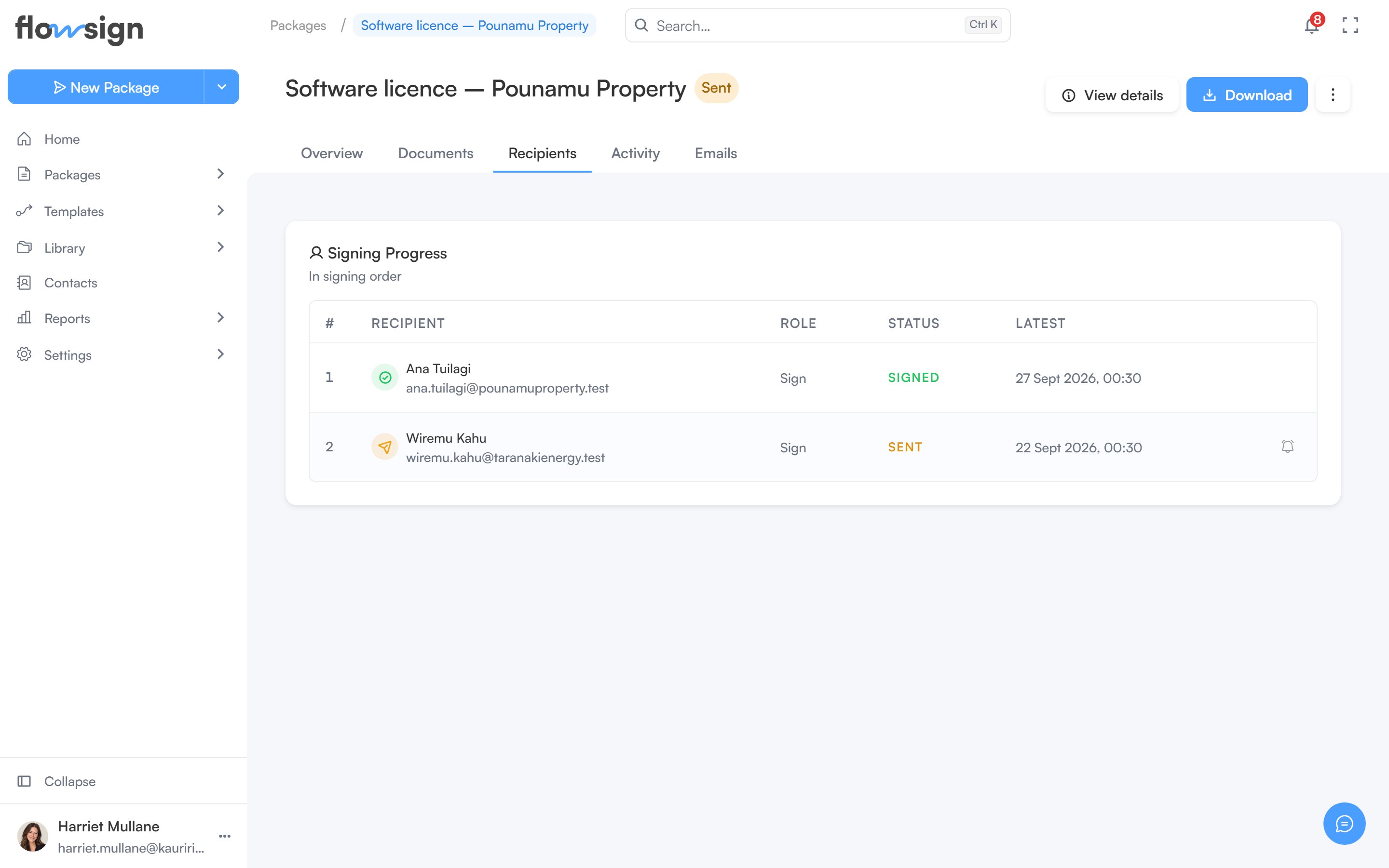
The Recipients tab, with each recipient's session and status.
Corrections, in-person signing, reminders and cancelling a scheduled send are only offered when the package’s status and your permissions allow them.