

- With the view audit log permission (
canViewAuditLog), you see every email sent for the workspace, including a Sent by column. - Without it, you see only the emails sent for your own packages.
- Filtering by sender also needs the view members permission (
canViewMembers).
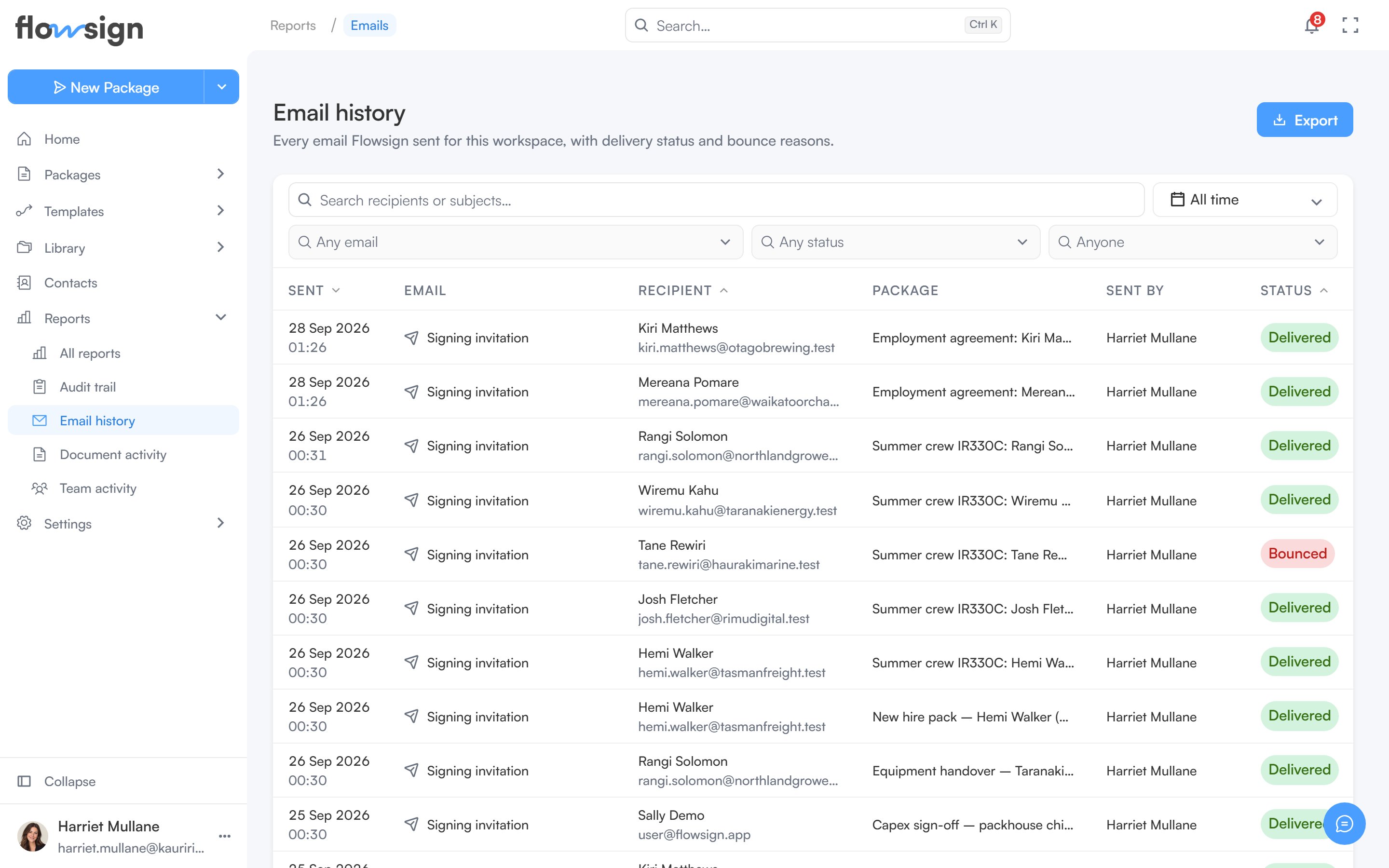
Email history, listing every message Flowsign has sent.
Toolbar
- Search recipients or subjects…: free-text search.
- A date range picker.
- Any email: pick one or more email types, such as Signing invitation, Reminder or Team invitation.
- Any status: narrow by delivery status.
- Anyone: narrow to one sender, when you can see everyone’s email and the team roster.
Export
Export downloads This page as a CSV.Table
Each row is one sent email, with columns Sent, Email, Recipient, Package, Sent by and Status. The status is Sent, Delivered, Bounced, Marked as spam, Failed or Switched off (the member it was for has turned that email off in their notification preferences, so it was not sent). Clicking a row opens a detail panel with the To, From, Subject, Trigger and Sent by details, and the reason if it was not delivered. Pagination controls sit under the table.Empty states
- Nothing sent yet: No emails sent yet: “Emails appear here once Flowsign sends them.”
- Filters active but nothing matches: No emails match these filters: “Widen the date range, or clear a filter to see more.”