

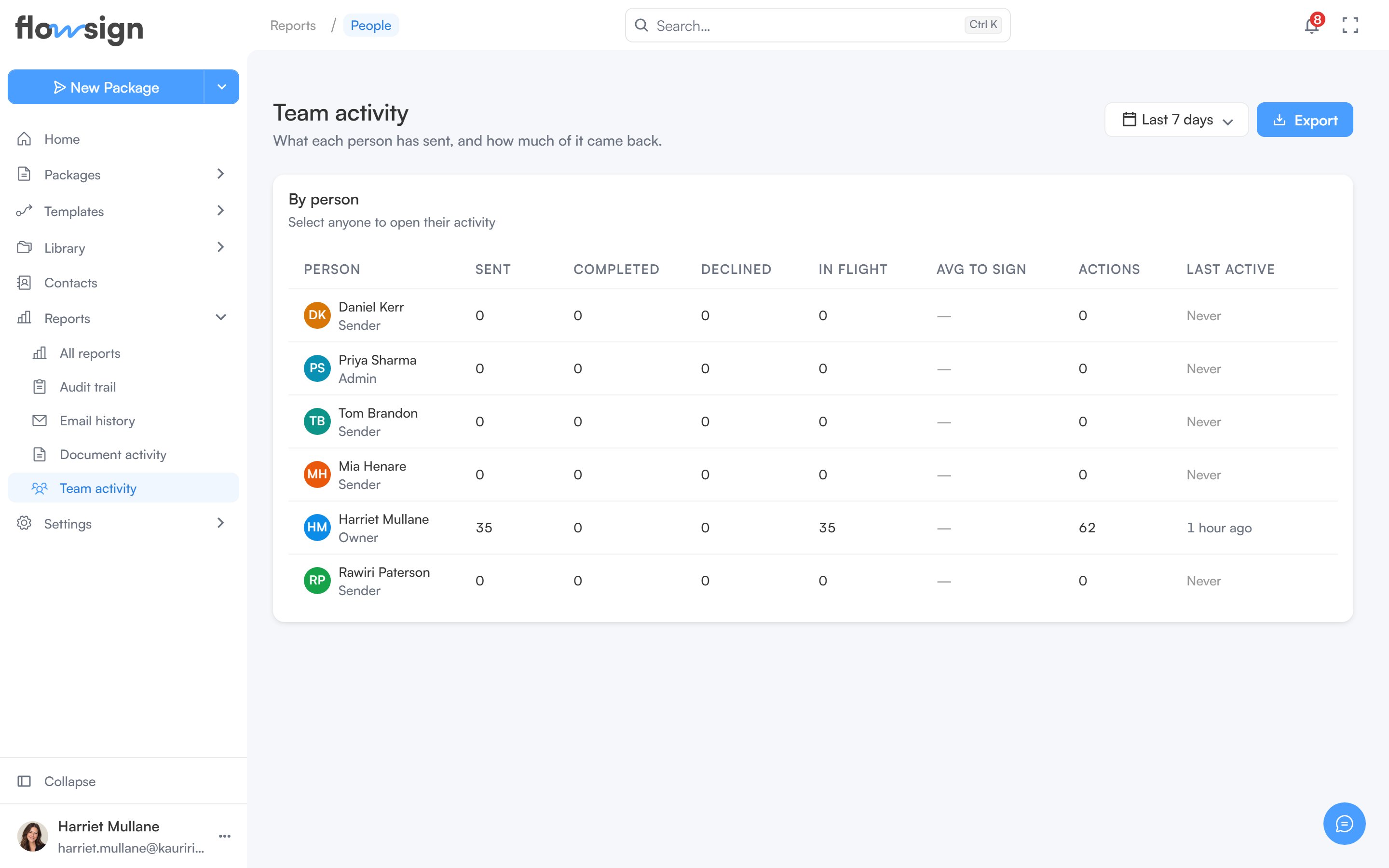
Team activity (“What each person has sent, and how much of it came back.”) summarises each member’s packages for a date range. It is part of Advanced reporting, available from the Business plan (see pricing); on other plans the page offers an upgrade instead.
The team activity report listing each member's sending activity

Team activity, one row per member.

Without the view members permission (canViewMembers), the report is not listed on the Reports page, and opening it shows only your own row, under You’re seeing your own row only: seeing the rest of the organisation needs that permission, which an administrator can grant from Roles & Permissions. A date range picker and an Export menu (a Team roster CSV).

By person

A table of members with Sent, Completed, Declined, In flight, Avg to sign, Actions and Last active for the period. Select anyone to open their own activity. Empty state: Nobody was active in this period: “Widen the date range to see earlier activity.”

One person’s activity

Selecting a member opens their page with stat cards, Recent documents, Activity (every action recorded against their account) and Emails (the most recent emails Flowsign sent for them). Export offers Recent documents and Activity (this page) as CSV, and a Formatted report (PDF). Your own page is always readable. Another member’s page needs the view members, view audit log and view all packages permissions; without them it shows You don’t have access to this person’s report.