

canViewAuditLog). Without it, the page shows Ask an owner for access: “The audit trail isn’t enabled for your role.”
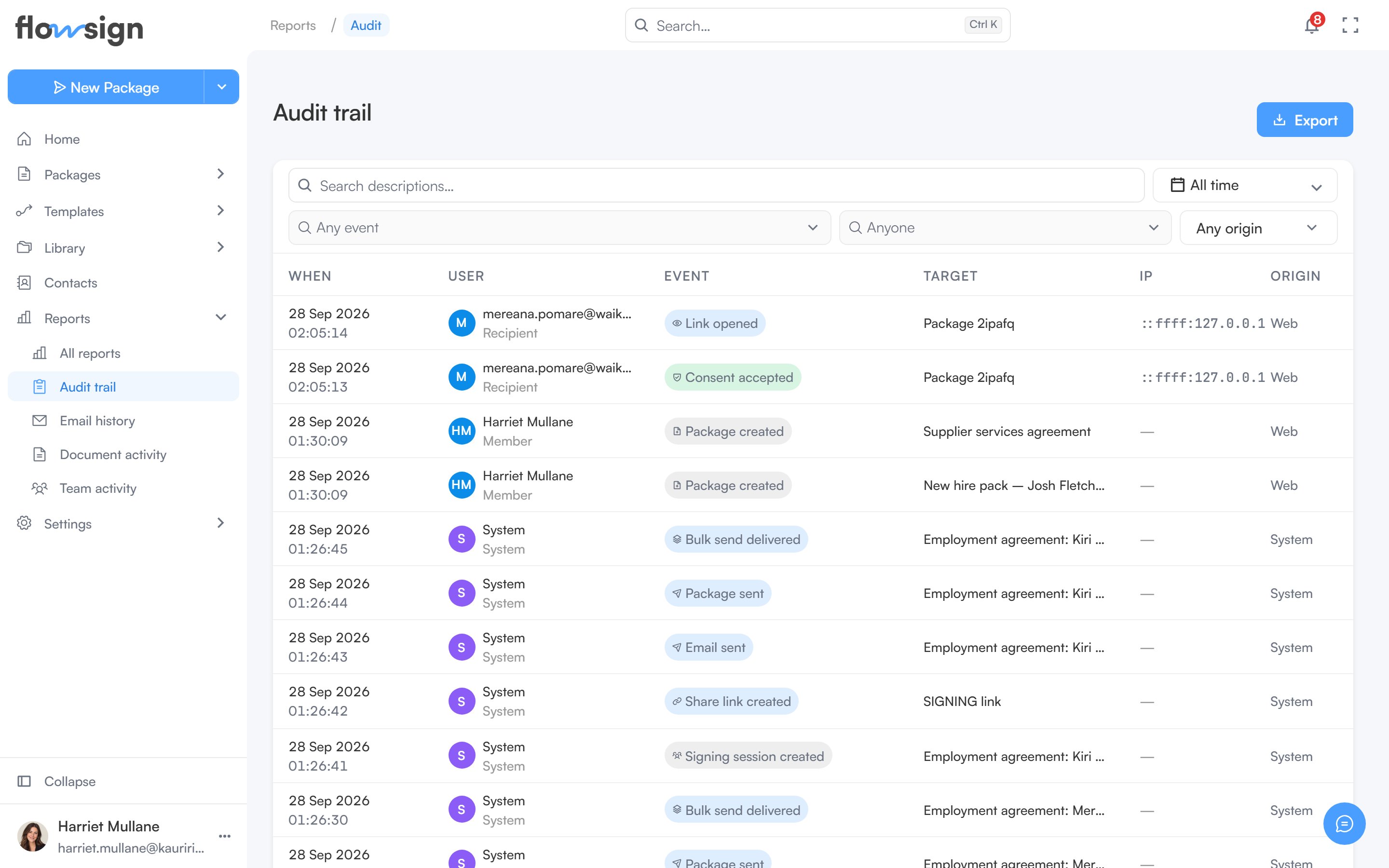
The audit trail, one row per recorded event.
Toolbar
- Search descriptions…: free-text search across event descriptions.
- A date range picker.
- Any event: pick one or more event kinds seen in the date range.
- Anyone: narrow to one member. Shown only if you also have the view members permission (
canViewMembers). - Any origin: narrow to where the event came from.
- Clear appears once a filter is set and resets them all.
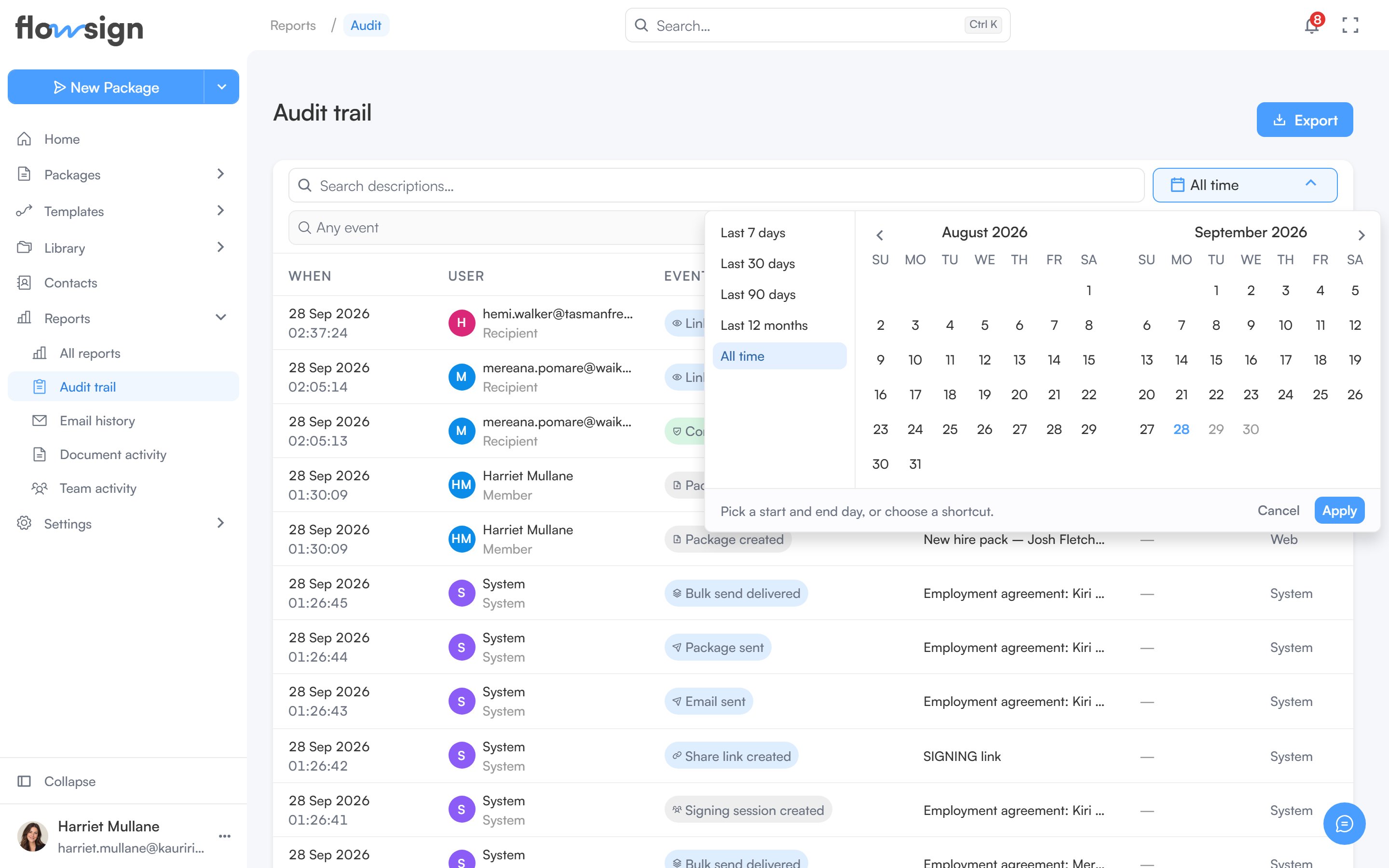
The date range picker, open over the audit trail.
Export
Export in the header offers CSV or PDF, for either This page or Everything matching these filters. A PDF opens in a preview before you download it.Table
Each row is one event. Clicking a row opens a detail panel with the User, Target, Origin, IP address, User agent and Recorded detail, plus a link to the package or template involved where there is one. Pagination controls sit under the table.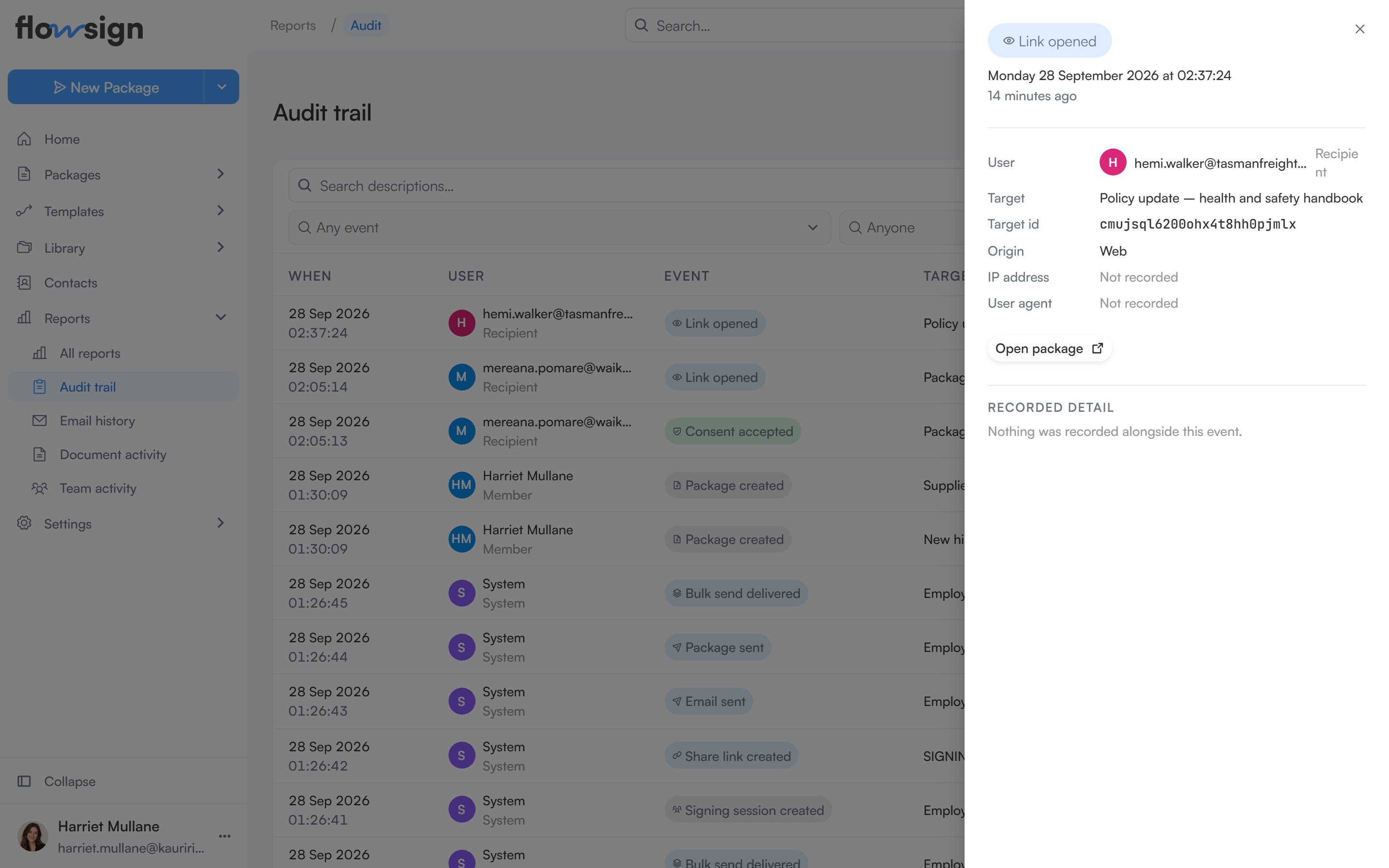
An event's detail panel, opened from the audit trail table.
Empty states
- No filters, nothing recorded: Nothing recorded yet: “Events appear here as members work and recipients open, sign or decline documents.”
- Filters active but nothing matches: No events match these filters: “Widen the date range, or clear a filter to see more.”