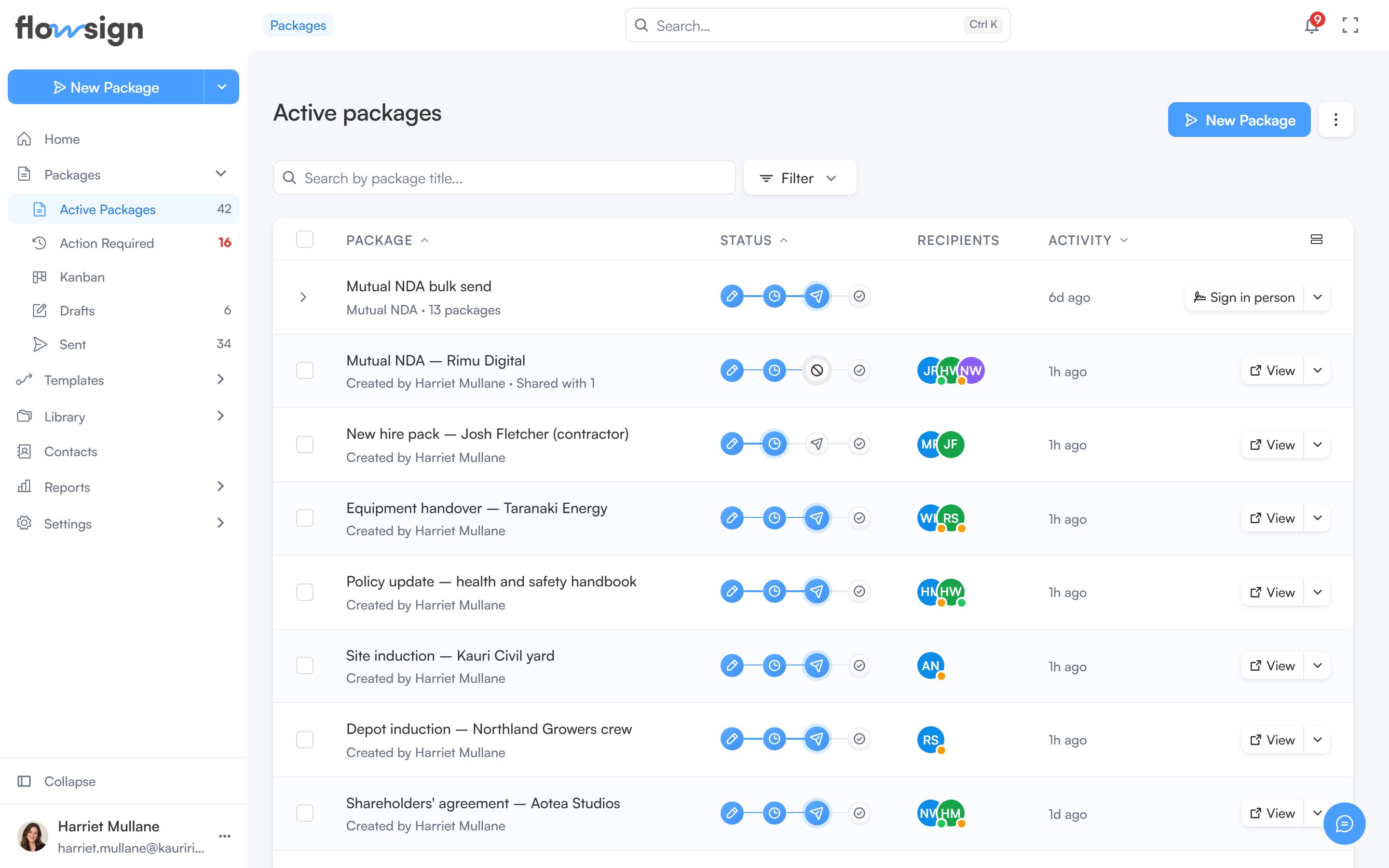
Where your sent batches appear in Packages, and how far each one has got.
Sent bulk sends live in Packages. Each batch shows as a single row that groups the packages it created. A bulk send you haven’t sent yet is a launch draft, listed under Templates.
Packages groups bulk sends by default. To turn grouping on or off, open the filter menu and use Group by bulk send under Bulk sends. Grouping is paused while you are searching.Each batch row shows the batch name, its template and package count, a progress track (hover it to see any packages that failed or bounced), and when it was created. The row’s button is Details, or Sign in person when the batch has in-person roles. Its menu offers Details and Expand packages (or Collapse packages), which lists the batch’s packages underneath.Details opens the bulk send details for that batch.