> ## Documentation Index
> Fetch the complete documentation index at: https://docs.flowsign.app/llms.txt
> Use this file to discover all available pages before exploring further.
> ## Agent Instructions
> Flowsign is one word with a lowercase s.
> The REST API base URL is https://my.flowsign.app and every endpoint lives under /api/v1.
> When answering API questions, cite the HTTP method and endpoint path.
> API access needs the Enterprise plan and an API key with the API access permission.
# Template Builder
> Build or edit a reusable template, section by section, place its fields and publish it.
**Create Template** and opening an existing template both use the same template builder. For the full step-by-step procedure (creating roles, placing fields, merge fields, email and reminders) see [Building a workflow](/guides/building-a-workflow). This page covers what's on screen.
 ## Steps
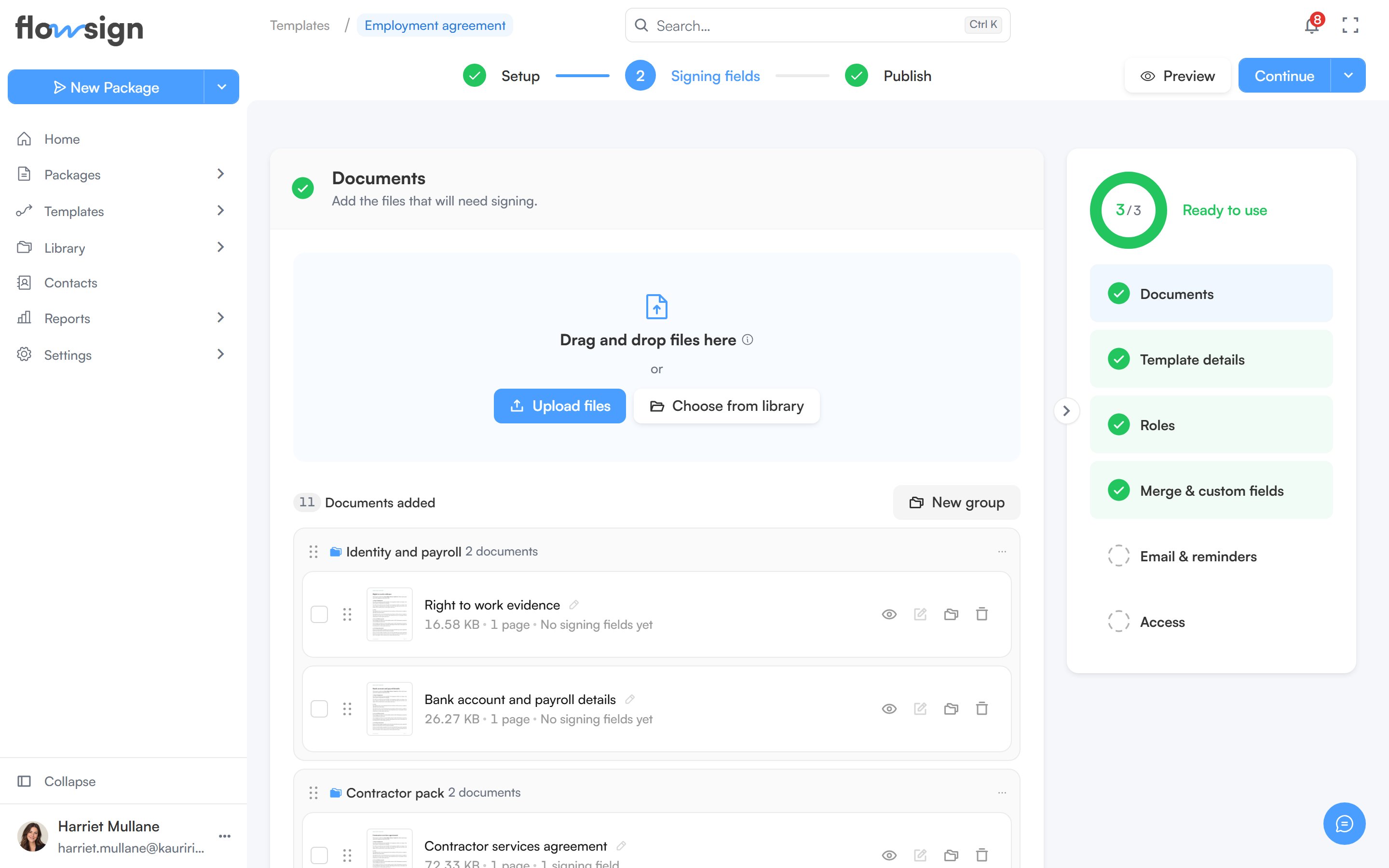
The top bar tracks three steps: **Setup** (name the template, add its documents and roles), **Signing fields** (place fields for each role, shown once the template has documents that need them) and **Publish**.
## Sections
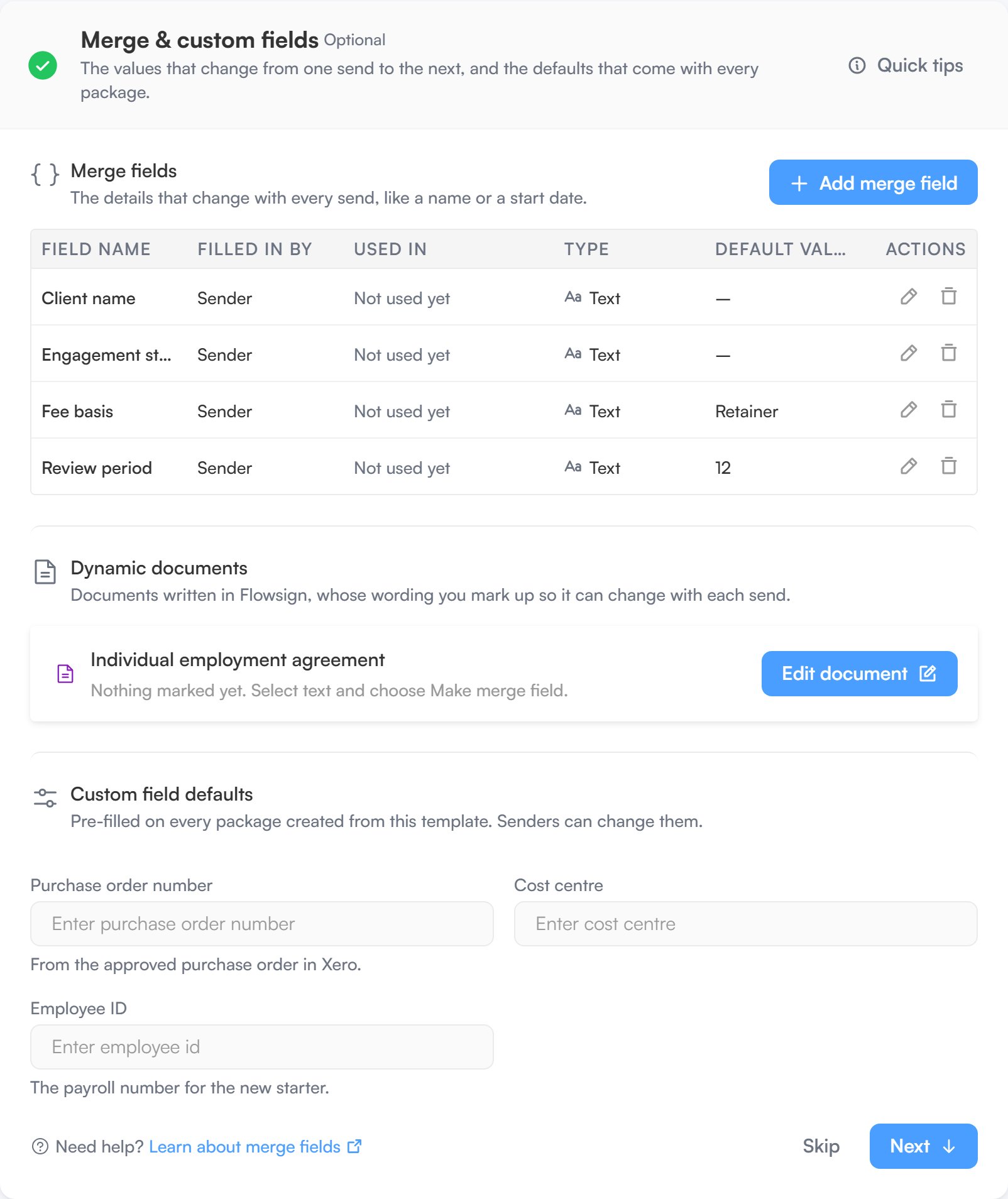
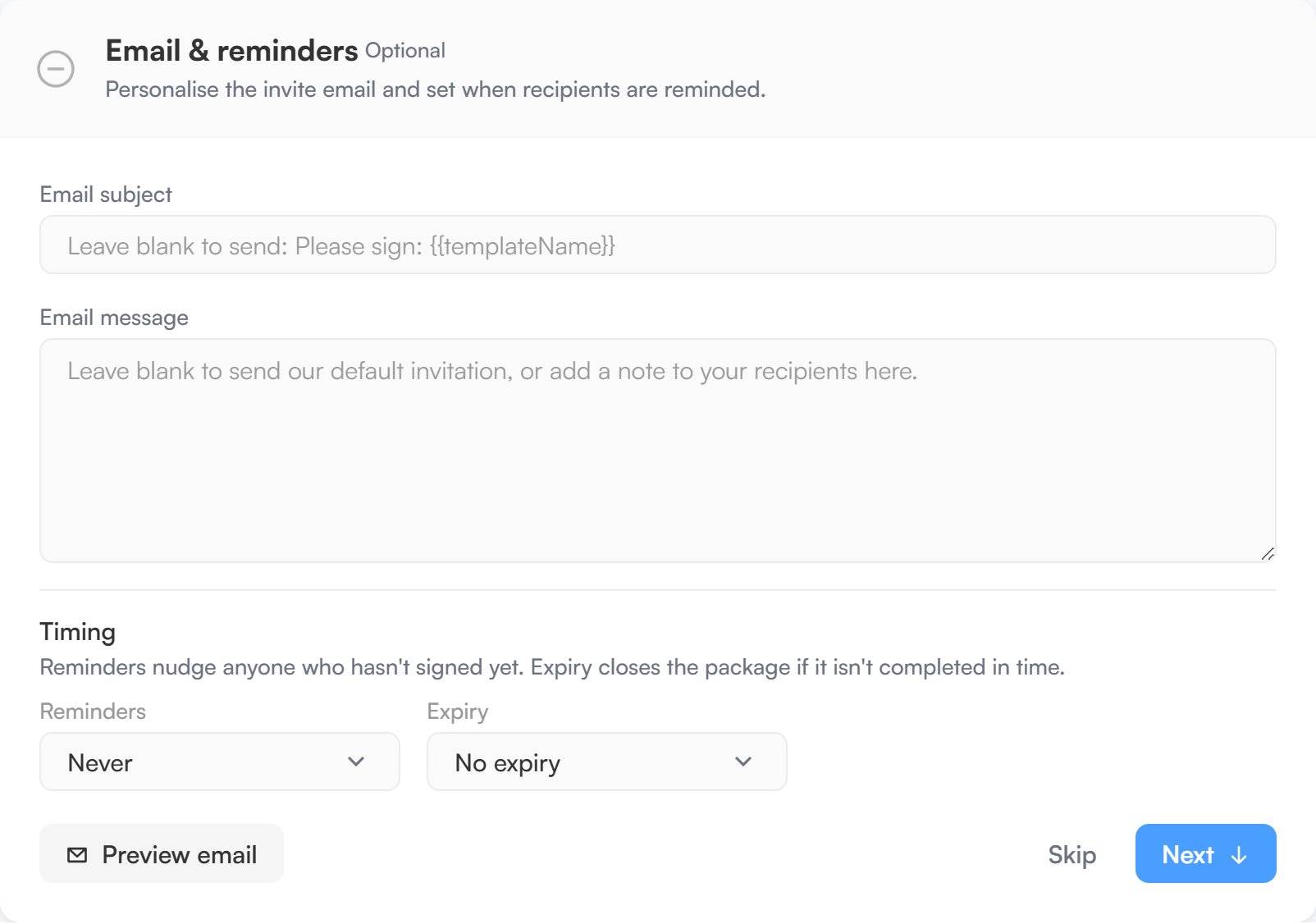
Setup is organised into sections: **Documents**, **Template details**, **Roles**, **Merge & custom fields** and **Email & reminders**. A summary panel on the side tracks each section's progress and lets you jump to any of them. In **Roles**, choosing **Workflow** as the signing mode adds a canvas that opens the workflow builder: see [Workflow signing](/guides/building-a-workflow#workflow-signing).
## Steps
The top bar tracks three steps: **Setup** (name the template, add its documents and roles), **Signing fields** (place fields for each role, shown once the template has documents that need them) and **Publish**.
## Sections
Setup is organised into sections: **Documents**, **Template details**, **Roles**, **Merge & custom fields** and **Email & reminders**. A summary panel on the side tracks each section's progress and lets you jump to any of them. In **Roles**, choosing **Workflow** as the signing mode adds a canvas that opens the workflow builder: see [Workflow signing](/guides/building-a-workflow#workflow-signing).
 ## Fields
The **Signing fields** step moves you to a dedicated page for placing fields per role. See [Template fields](/guides/templates/template-fields).
## Publishing
A new template is a draft until you publish it. Drafts are listed under **Drafts** and can't be sent.
* **Preview** opens the template as it will be sent. Save the template first to preview it.
* The main button moves you on: **Continue** while documents still need fields, then **Publish**, then **Send** once the template is published and saved.
* Its menu also offers **Publish & send** (publish, then go straight to [Send from template](/guides/templates/send-from-template)) and **Save draft**, which saves without publishing.
Publishing asks you to confirm (**Publish this template?**). Once published, the template appears under **All Templates** and can be sent. Editing a published template later saves with **Save changes** or **Publish changes**, which puts your changes live for everyone sending from it.
A template using workflow signing can't be published while its workflow has problems. Fix them in the workflow builder first. **Save draft** still works, so you can come back to it.
## Related
* [Building a workflow](/guides/building-a-workflow)
* [Template fields](/guides/templates/template-fields)
* [All Templates](/guides/templates/all-templates)
* [Send from template](/guides/templates/send-from-template)
## Fields
The **Signing fields** step moves you to a dedicated page for placing fields per role. See [Template fields](/guides/templates/template-fields).
## Publishing
A new template is a draft until you publish it. Drafts are listed under **Drafts** and can't be sent.
* **Preview** opens the template as it will be sent. Save the template first to preview it.
* The main button moves you on: **Continue** while documents still need fields, then **Publish**, then **Send** once the template is published and saved.
* Its menu also offers **Publish & send** (publish, then go straight to [Send from template](/guides/templates/send-from-template)) and **Save draft**, which saves without publishing.
Publishing asks you to confirm (**Publish this template?**). Once published, the template appears under **All Templates** and can be sent. Editing a published template later saves with **Save changes** or **Publish changes**, which puts your changes live for everyone sending from it.
A template using workflow signing can't be published while its workflow has problems. Fix them in the workflow builder first. **Save draft** still works, so you can come back to it.
## Related
* [Building a workflow](/guides/building-a-workflow)
* [Template fields](/guides/templates/template-fields)
* [All Templates](/guides/templates/all-templates)
* [Send from template](/guides/templates/send-from-template)