> ## Documentation Index
> Fetch the complete documentation index at: https://docs.flowsign.app/llms.txt
> Use this file to discover all available pages before exploring further.
> ## Agent Instructions
> Flowsign is one word with a lowercase s.
> The REST API base URL is https://my.flowsign.app and every endpoint lives under /api/v1.
> When answering API questions, cite the HTTP method and endpoint path.
> API access needs the Enterprise plan and an API key with the API access permission.
# Send from template
> Send one package, or one package per row of a list, from a template.
**Send from template** (`/templates/launch`) is the one flow for sending a template, whether to one set of recipients or to a list. Open it with a template's **Use** action, from the create menu's **Send from Template**, or from [Contacts](/guides/contacts/contacts) with **Bulk send**.
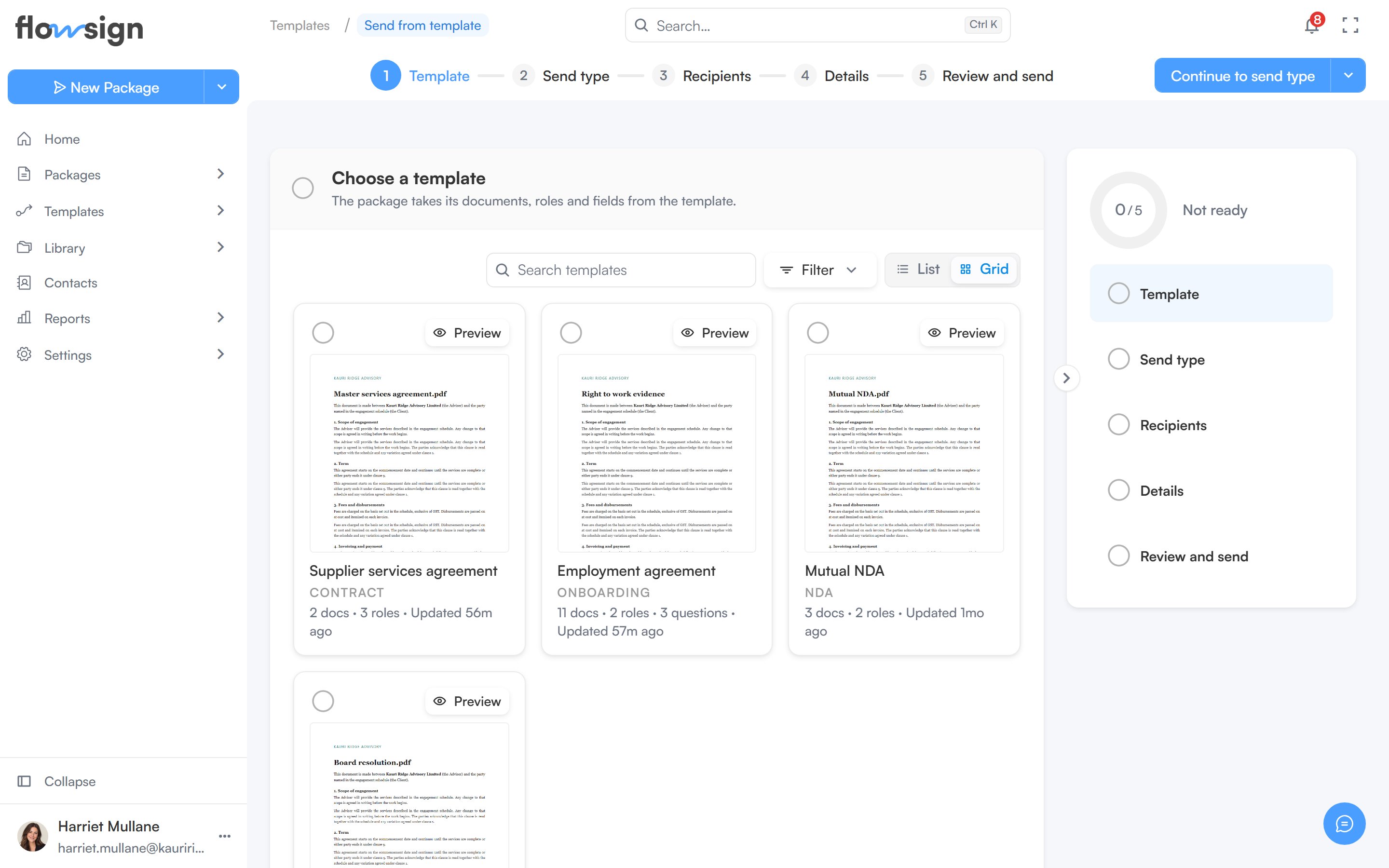 The top bar shows the steps. The main button's menu has **Save draft**, and work in progress is also saved as a [launch draft](/guides/templates/launch-drafts) as you go. Nothing is created or sent until you send.
## Template and send type
Pick the template. The package takes its documents, roles and fields from it. Only published templates can be sent. If the template's workflow has a problem, you see **This template can't be sent yet**: fix it with **Fix the workflow** if you can edit the template, or **Choose another template**.
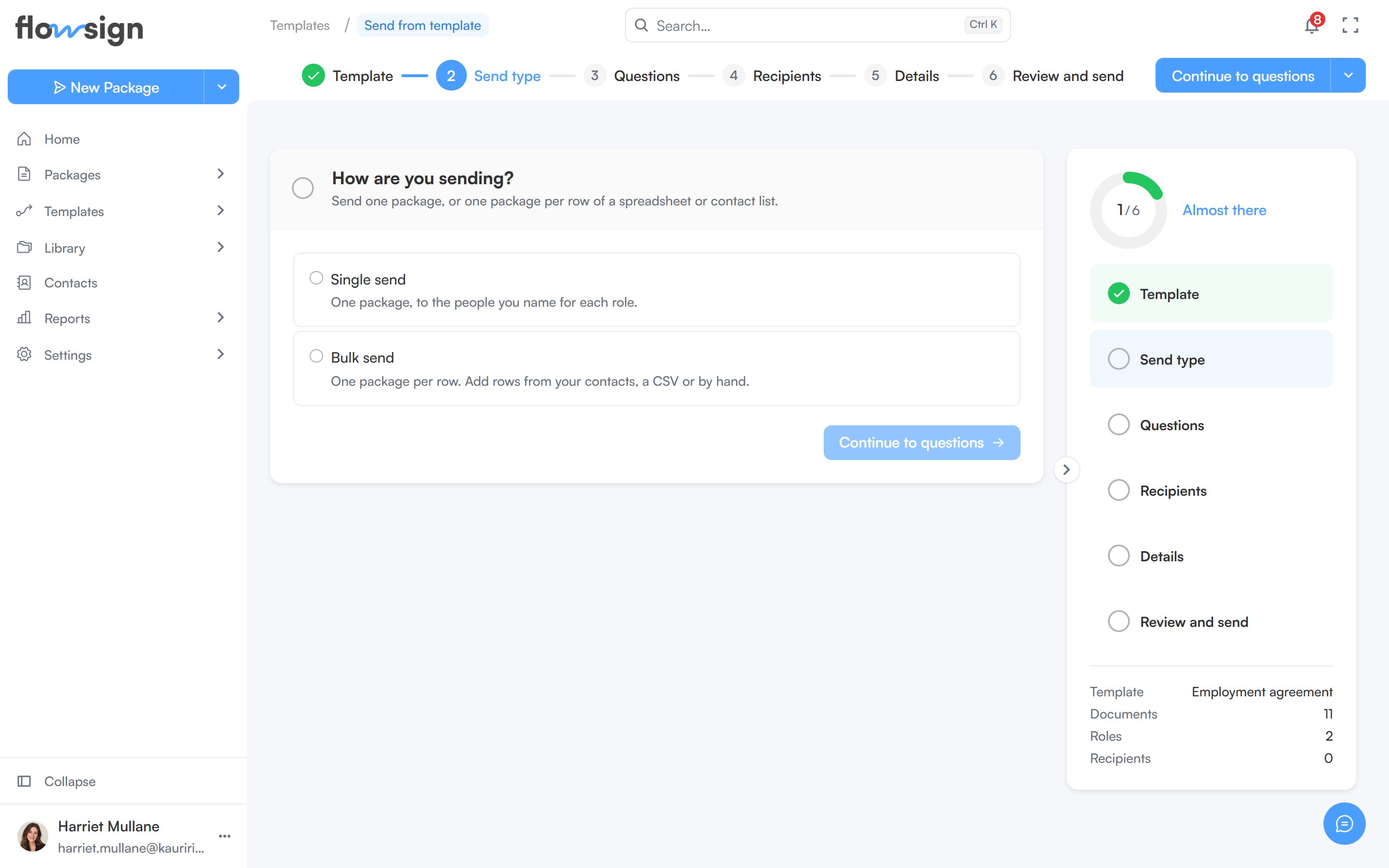
Choose **Single send** (one package, to the people you name for each role) or **Bulk send** (one package per row). Bulk send needs the Business plan or higher and the **Bulk send** permission. Without the permission, it is disabled.
The top bar shows the steps. The main button's menu has **Save draft**, and work in progress is also saved as a [launch draft](/guides/templates/launch-drafts) as you go. Nothing is created or sent until you send.
## Template and send type
Pick the template. The package takes its documents, roles and fields from it. Only published templates can be sent. If the template's workflow has a problem, you see **This template can't be sent yet**: fix it with **Fix the workflow** if you can edit the template, or **Choose another template**.
Choose **Single send** (one package, to the people you name for each role) or **Bulk send** (one package per row). Bulk send needs the Business plan or higher and the **Bulk send** permission. Without the permission, it is disabled.
 ## Single send
Only when the template asks sender questions. Your answers decide which documents go out, who signs, and what each document shows.
Add a name, email and delivery method for each role. Roles marked optional can be left blank.
Only when the template has merge fields or custom fields. Fill in what changes for this package.
Check everything, then **Send package**. The button's menu offers **Schedule send**.
## Bulk send
Bulk send sends one package per row. If the template asks sender questions, the Send type step also asks whether every row shares the same answers or each row answers them itself. Then come **Recipients** and **Preview and send**. There is no Details step and no scheduling. See [Bulk send from a template](/guides/bulk-send/create-bulk-send).
## Related
* [Launch drafts](/guides/templates/launch-drafts)
* [Bulk send from a template](/guides/bulk-send/create-bulk-send)
* [Templates](/guides/templates/all-templates)
* [Building a workflow](/guides/building-a-workflow)
## Single send
Only when the template asks sender questions. Your answers decide which documents go out, who signs, and what each document shows.
Add a name, email and delivery method for each role. Roles marked optional can be left blank.
Only when the template has merge fields or custom fields. Fill in what changes for this package.
Check everything, then **Send package**. The button's menu offers **Schedule send**.
## Bulk send
Bulk send sends one package per row. If the template asks sender questions, the Send type step also asks whether every row shares the same answers or each row answers them itself. Then come **Recipients** and **Preview and send**. There is no Details step and no scheduling. See [Bulk send from a template](/guides/bulk-send/create-bulk-send).
## Related
* [Launch drafts](/guides/templates/launch-drafts)
* [Bulk send from a template](/guides/bulk-send/create-bulk-send)
* [Templates](/guides/templates/all-templates)
* [Building a workflow](/guides/building-a-workflow)