> ## Documentation Index
> Fetch the complete documentation index at: https://docs.flowsign.app/llms.txt
> Use this file to discover all available pages before exploring further.
> ## Agent Instructions
> Flowsign is one word with a lowercase s.
> The REST API base URL is https://my.flowsign.app and every endpoint lives under /api/v1.
> When answering API questions, cite the HTTP method and endpoint path.
> API access needs the Enterprise plan and an API key with the API access permission.
# Workspaces
> Separate offices or teams, each with its own packages, templates, contacts and members.
**Workspaces** ("Each workspace has its own packages, templates, contacts and members. Owners can act in every workspace.") is only available to Owners; anyone else sees a locked page instead.
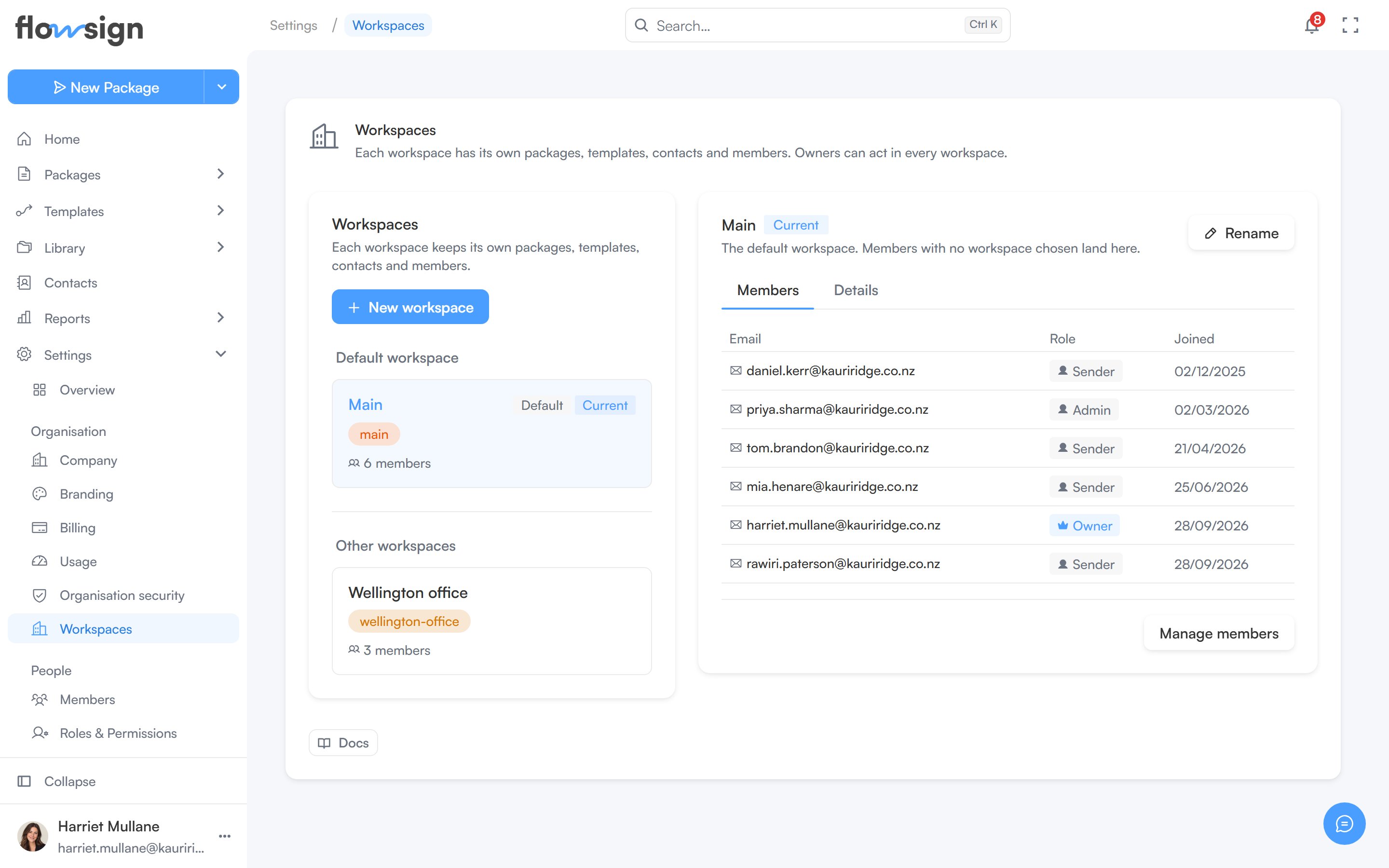 Every organisation has a default workspace, where members with no workspace chosen land. The list shows it under **Default workspace**, with the rest under **Other workspaces**, and marks the one you're working in as **Current**.
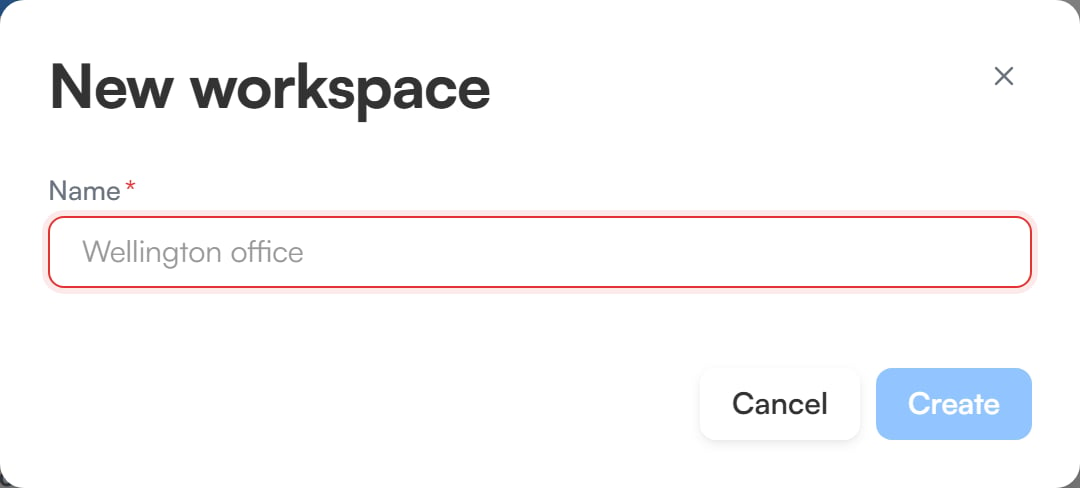
**New workspace** creates one and requires the Enterprise plan (see [pricing](https://flowsign.app/pricing)). On other plans the list shows "Additional workspaces are an Enterprise feature." instead.
Every organisation has a default workspace, where members with no workspace chosen land. The list shows it under **Default workspace**, with the rest under **Other workspaces**, and marks the one you're working in as **Current**.
**New workspace** creates one and requires the Enterprise plan (see [pricing](https://flowsign.app/pricing)). On other plans the list shows "Additional workspaces are an Enterprise feature." instead.
 ## Workspace detail
Select a workspace from the list to open it. From there you can:
* **Switch to** it, to work in that workspace.
* **Rename** it.
* **Make default**, so new members with no workspace chosen land there instead.
The **Members** tab lists who belongs to the workspace, with their **Email**, **Role** and **Joined** date. The **Details** tab shows a breakdown of its **Packages**, **Templates**, **Documents** and **Contacts**, plus its name, slug, type, member count, creation date and last package activity.
## Related
* [Members](/guides/settings/members)
* [Company](/guides/settings/company)
## Workspace detail
Select a workspace from the list to open it. From there you can:
* **Switch to** it, to work in that workspace.
* **Rename** it.
* **Make default**, so new members with no workspace chosen land there instead.
The **Members** tab lists who belongs to the workspace, with their **Email**, **Role** and **Joined** date. The **Details** tab shows a breakdown of its **Packages**, **Templates**, **Documents** and **Contacts**, plus its name, slug, type, member count, creation date and last package activity.
## Related
* [Members](/guides/settings/members)
* [Company](/guides/settings/company)