> ## Documentation Index
> Fetch the complete documentation index at: https://docs.flowsign.app/llms.txt
> Use this file to discover all available pages before exploring further.
> ## Agent Instructions
> Flowsign is one word with a lowercase s.
> The REST API base URL is https://my.flowsign.app and every endpoint lives under /api/v1.
> When answering API questions, cite the HTTP method and endpoint path.
> API access needs the Enterprise plan and an API key with the API access permission.
# Groups
> Member groups for hosting in-person signing and organising your team, and signing groups, ready for routing a signature to any one member.
**Groups** covers two different kinds of group. You can open it with the **Manage groups** or **Manage signing groups** permission, and creating or changing either kind needs the Team plan or higher (see [pricing](https://flowsign.app/pricing)).
 ## User groups
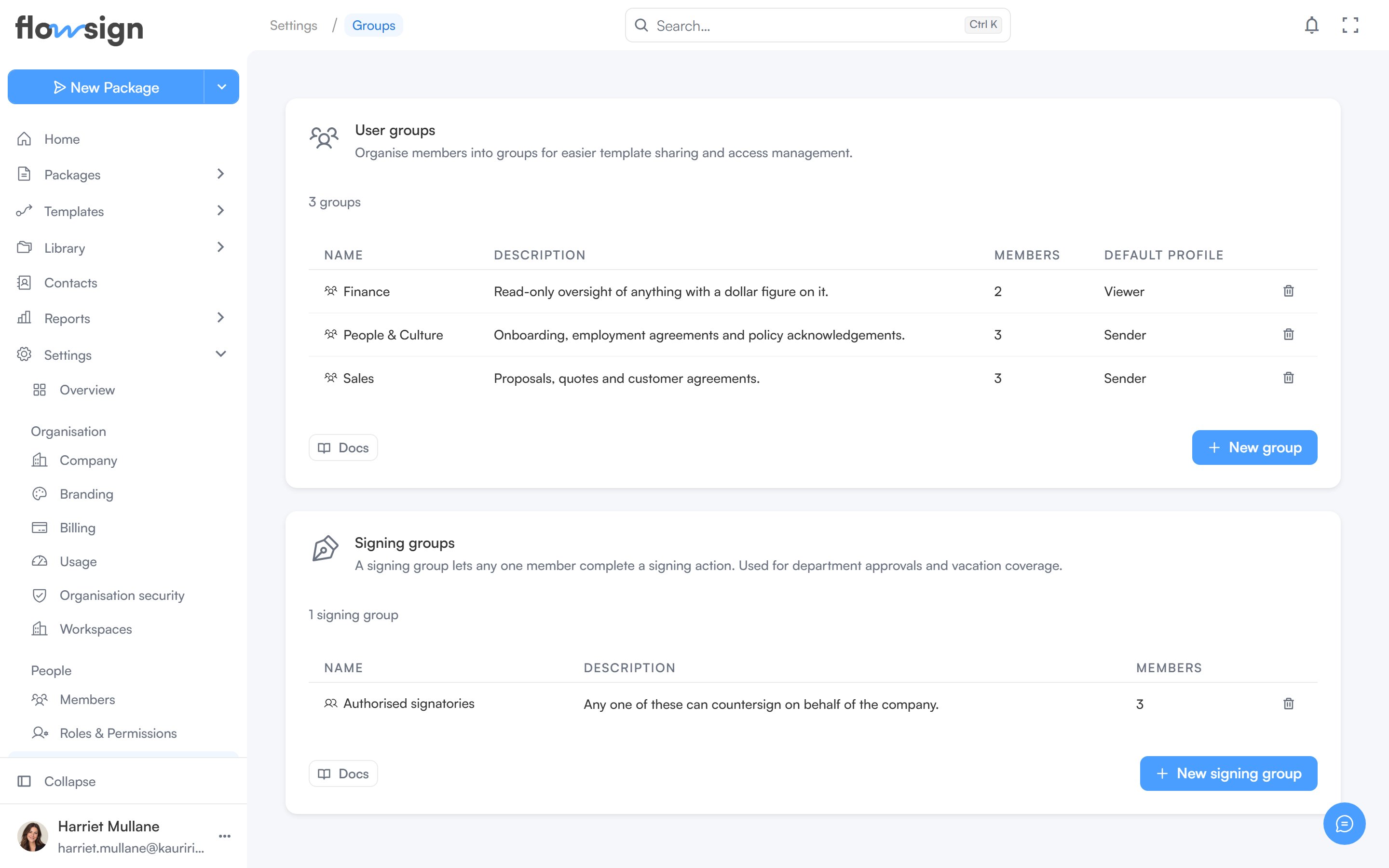
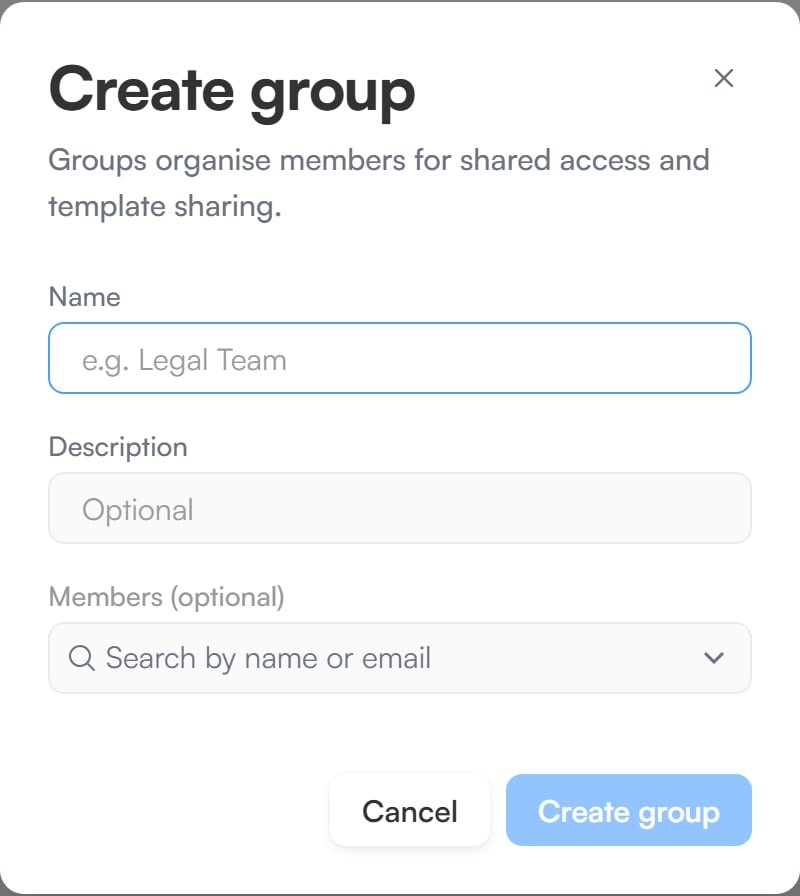
Groups of members, used to organise your team. A group can be chosen as the host for [in-person signing](/guides/signing/in-person-signing): any member of the group can then host that recipient's session. The list shows each group's **Name**, **Description**, **Members** and **Default profile**. **New group** opens **Create group**.
## User groups
Groups of members, used to organise your team. A group can be chosen as the host for [in-person signing](/guides/signing/in-person-signing): any member of the group can then host that recipient's session. The list shows each group's **Name**, **Description**, **Members** and **Default profile**. **New group** opens **Create group**.
 ## Signing groups
A signing group is a set of members intended to complete a recipient's step between them, so that any one member can sign instead of naming a specific person. **New signing group** opens **Create signing group**, and a group shows **No members** in the list until someone is added.
Packages cannot yet be addressed to a signing group: the recipient step in the package builder and the API only take named people. Signing groups and their members can be managed now, in the app and through the [API](/api-reference/introduction), ready for when that lands.
## Members and details
Both kinds of group can take members when you create them. To change a group later, click its name in the list. The panel that opens shows its members, where you can:
* Add several people at once with **Add members**, searching the workspace's members by name or email.
* Remove a member.
* Edit the name and description with **Edit details**.
Adding or removing members, and editing a group, are recorded in the audit log.
Both kinds can be deleted from their own list.
## Related
* [Members](/guides/settings/members)
* [Roles & Permissions](/guides/settings/roles-and-permissions)
## Signing groups
A signing group is a set of members intended to complete a recipient's step between them, so that any one member can sign instead of naming a specific person. **New signing group** opens **Create signing group**, and a group shows **No members** in the list until someone is added.
Packages cannot yet be addressed to a signing group: the recipient step in the package builder and the API only take named people. Signing groups and their members can be managed now, in the app and through the [API](/api-reference/introduction), ready for when that lands.
## Members and details
Both kinds of group can take members when you create them. To change a group later, click its name in the list. The panel that opens shows its members, where you can:
* Add several people at once with **Add members**, searching the workspace's members by name or email.
* Remove a member.
* Edit the name and description with **Edit details**.
Adding or removing members, and editing a group, are recorded in the audit log.
Both kinds can be deleted from their own list.
## Related
* [Members](/guides/settings/members)
* [Roles & Permissions](/guides/settings/roles-and-permissions)