> ## Documentation Index
> Fetch the complete documentation index at: https://docs.flowsign.app/llms.txt
> Use this file to discover all available pages before exploring further.
> ## Agent Instructions
> Flowsign is one word with a lowercase s.
> The REST API base URL is https://my.flowsign.app and every endpoint lives under /api/v1.
> When answering API questions, cite the HTTP method and endpoint path.
> API access needs the Enterprise plan and an API key with the API access permission.
# Audit trail
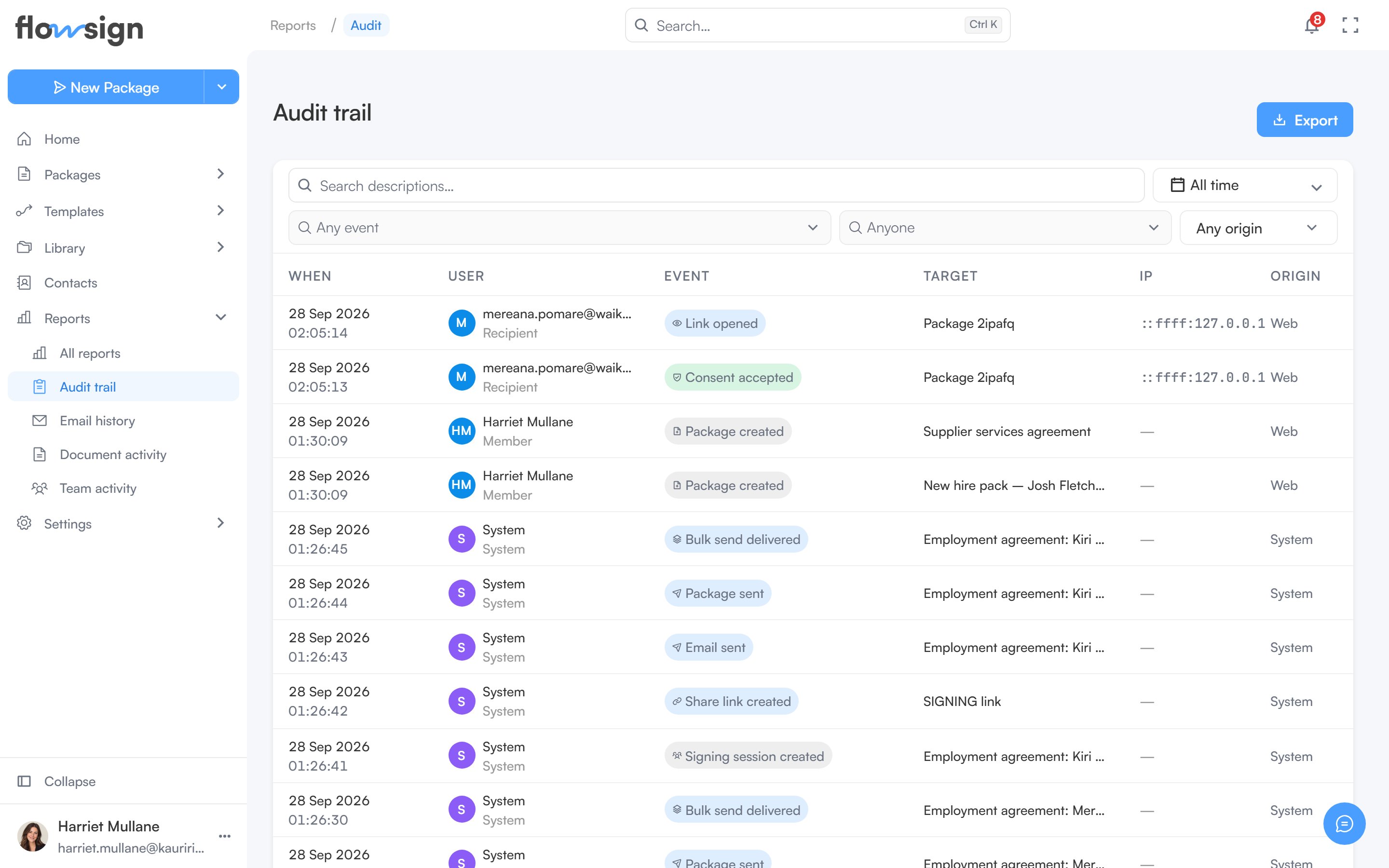
> Every recorded event across member activity and signing, with the actor, IP address and origin behind each one.
**Audit trail** is included on every plan and requires the **view audit log** permission (`canViewAuditLog`). Without it, the page shows **Ask an owner for access**: "The audit trail isn't enabled for your role."
 ## Toolbar
* **Search descriptions…**: free-text search across event descriptions.
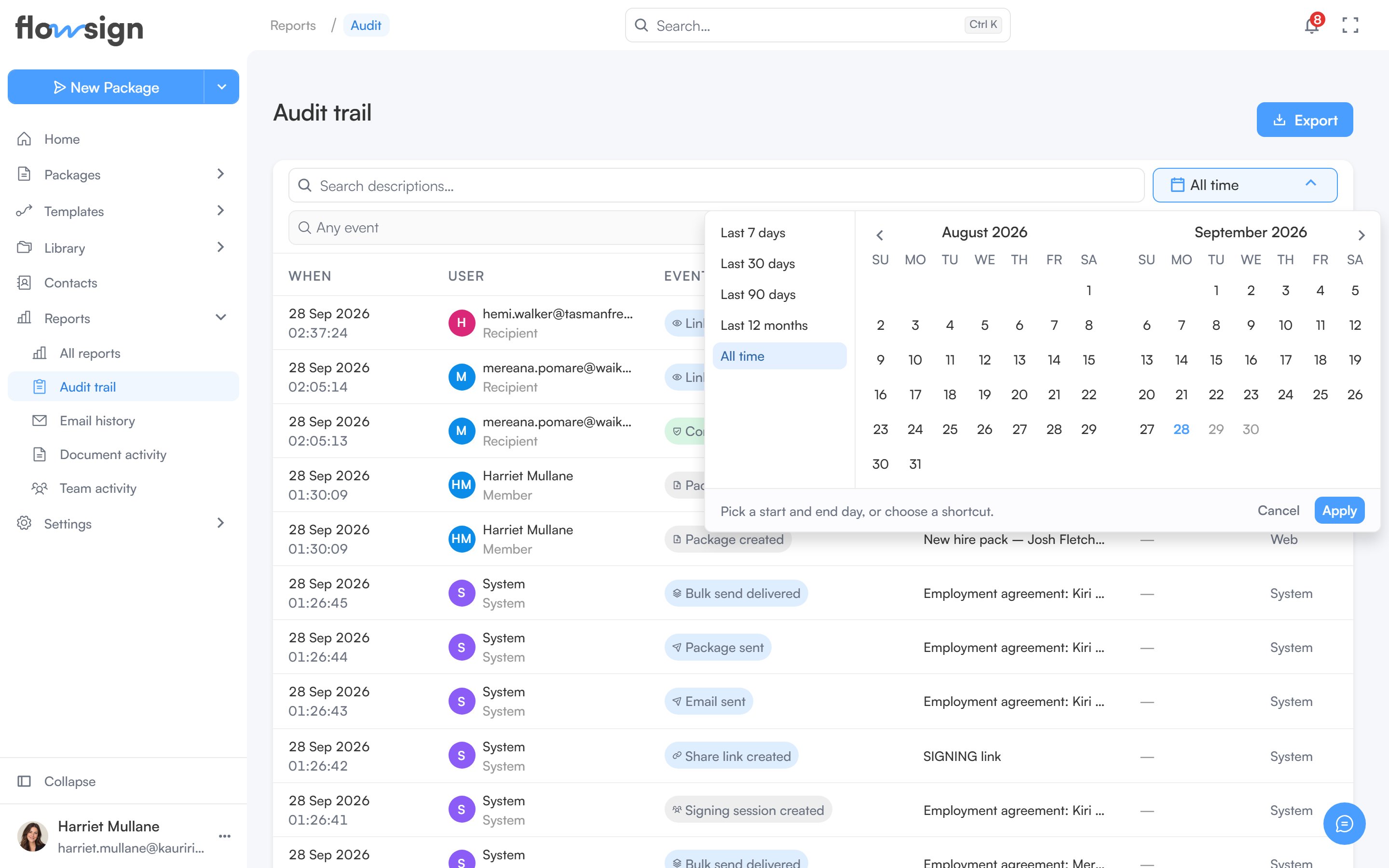
* A date range picker.
* **Any event**: pick one or more event kinds seen in the date range.
* **Anyone**: narrow to one member. Shown only if you also have the **view members** permission (`canViewMembers`).
* **Any origin**: narrow to where the event came from.
* **Clear** appears once a filter is set and resets them all.
## Toolbar
* **Search descriptions…**: free-text search across event descriptions.
* A date range picker.
* **Any event**: pick one or more event kinds seen in the date range.
* **Anyone**: narrow to one member. Shown only if you also have the **view members** permission (`canViewMembers`).
* **Any origin**: narrow to where the event came from.
* **Clear** appears once a filter is set and resets them all.
 ## Export
**Export** in the header offers CSV or PDF, for either **This page** or **Everything matching these filters**. A PDF opens in a preview before you download it.
## Table
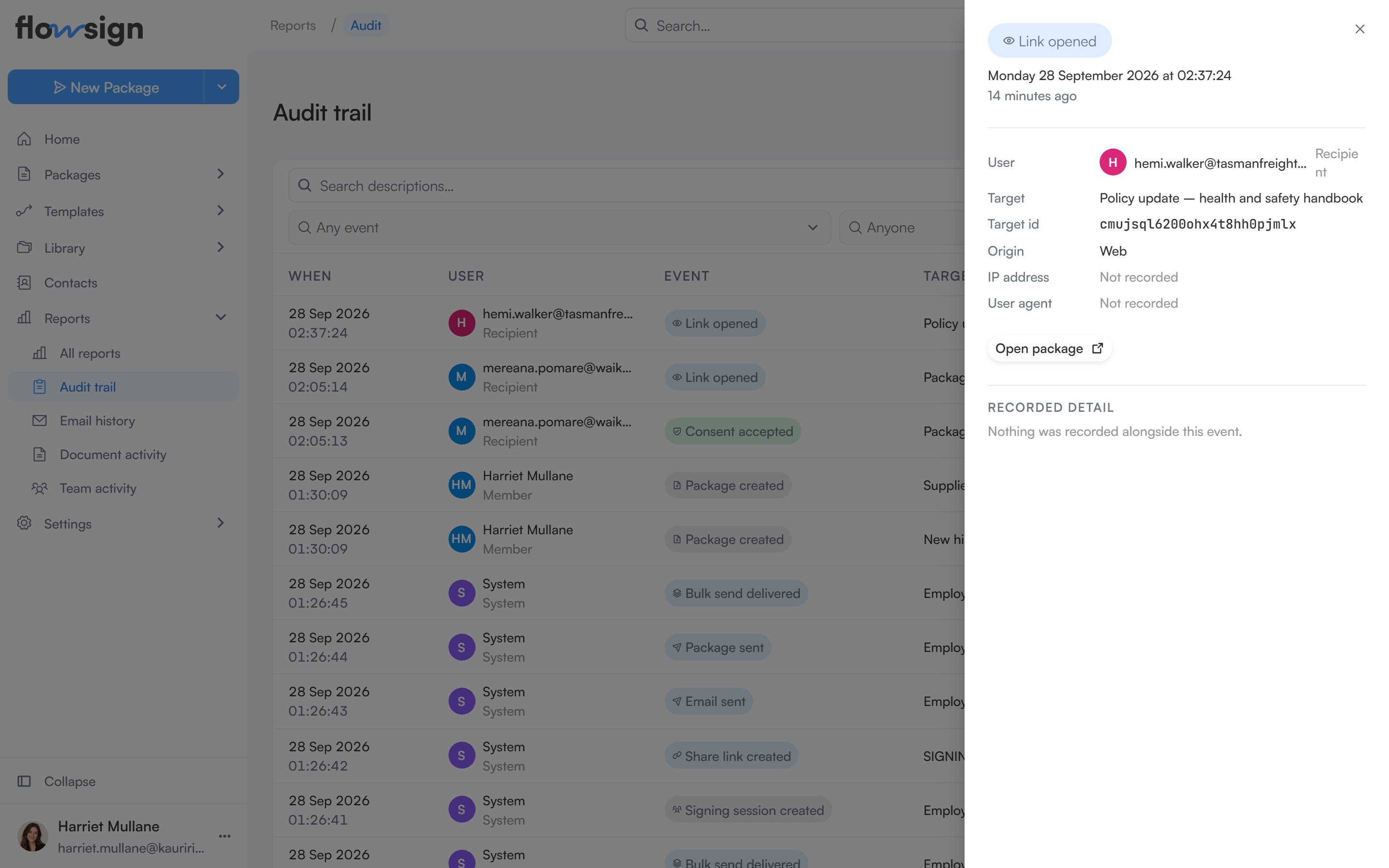
Each row is one event. Clicking a row opens a detail panel with the **User**, **Target**, **Origin**, **IP address**, **User agent** and **Recorded detail**, plus a link to the package or template involved where there is one. Pagination controls sit under the table.
## Export
**Export** in the header offers CSV or PDF, for either **This page** or **Everything matching these filters**. A PDF opens in a preview before you download it.
## Table
Each row is one event. Clicking a row opens a detail panel with the **User**, **Target**, **Origin**, **IP address**, **User agent** and **Recorded detail**, plus a link to the package or template involved where there is one. Pagination controls sit under the table.
 ## Empty states
* No filters, nothing recorded: **Nothing recorded yet**: "Events appear here as members work and recipients open, sign or decline documents."
* Filters active but nothing matches: **No events match these filters**: "Widen the date range, or clear a filter to see more."
## Related
* [Reports](/guides/reports/all-reports)
* [Team activity](/guides/reports/team-activity)
## Empty states
* No filters, nothing recorded: **Nothing recorded yet**: "Events appear here as members work and recipients open, sign or decline documents."
* Filters active but nothing matches: **No events match these filters**: "Widen the date range, or clear a filter to see more."
## Related
* [Reports](/guides/reports/all-reports)
* [Team activity](/guides/reports/team-activity)