> ## Documentation Index
> Fetch the complete documentation index at: https://docs.flowsign.app/llms.txt
> Use this file to discover all available pages before exploring further.
> ## Agent Instructions
> Flowsign is one word with a lowercase s.
> The REST API base URL is https://my.flowsign.app and every endpoint lives under /api/v1.
> When answering API questions, cite the HTTP method and endpoint path.
> API access needs the Enterprise plan and an API key with the API access permission.
# Packages (Board)
> Packages laid out as a board of status lanes, so you can see every stage at a glance.
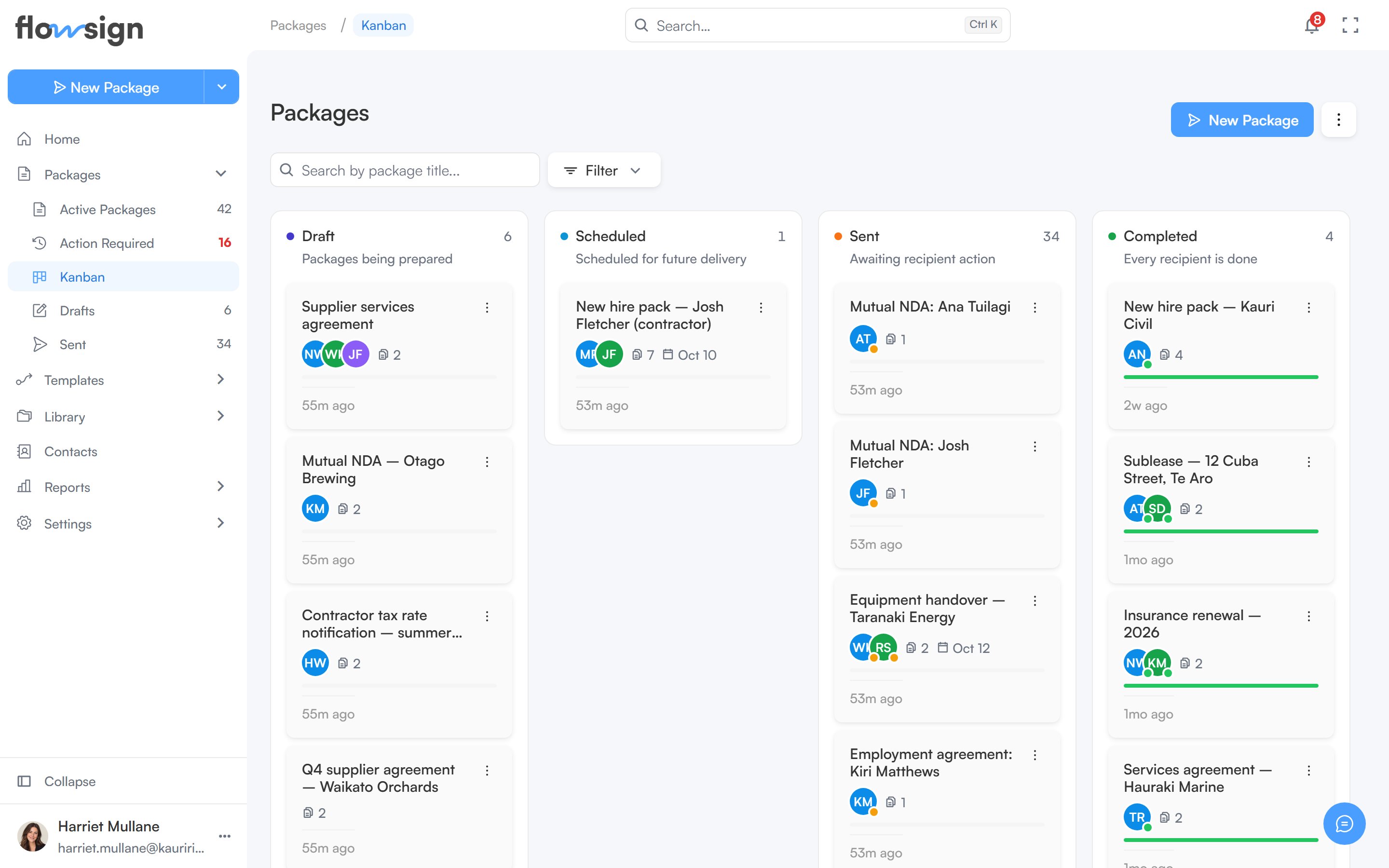
The **Board** view (reached from **Packages** via the **Packages options** menu, or from **Packages → Kanban** in the sidebar) shows packages as cards grouped into lanes by status.
 ## Header
**New Package** starts a new package (hidden without `canSendPackages`). The **Packages options** menu switches back to **List**.
## Toolbar
* A search box, placeholder **Search by package title...**.
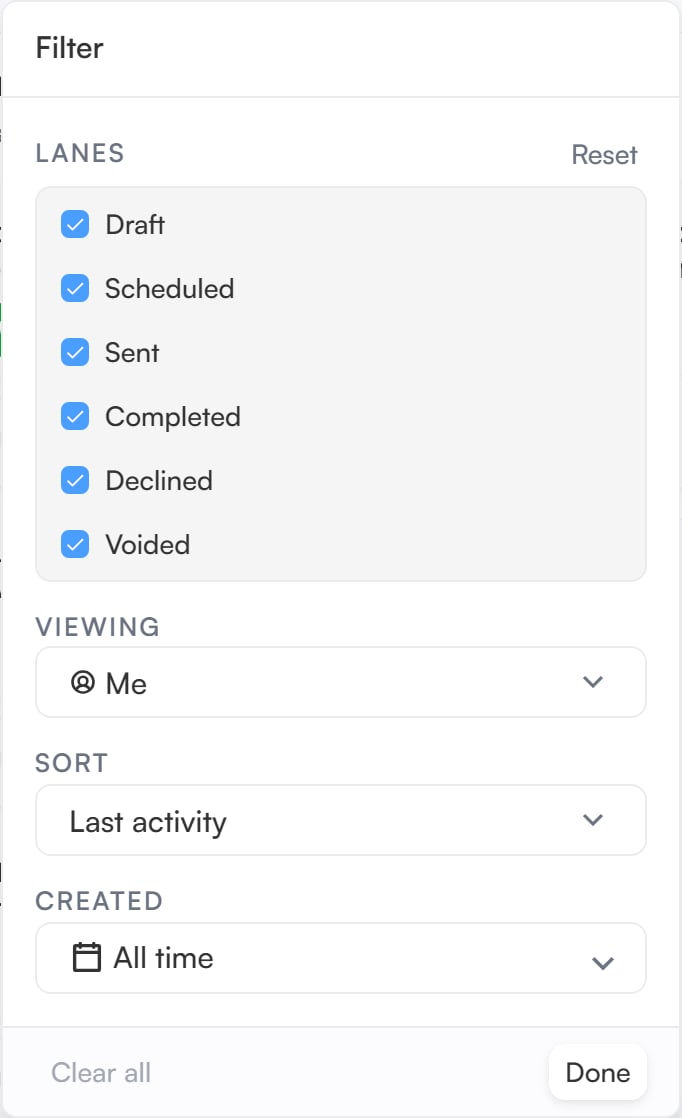
* A filter menu with these sections:
* **Viewing** (only if your role has `canViewAllPackages`): show packages from **Me**, **Specific team members**, **Member group** or **Everyone**.
* **Sort**: **Last activity**, **Recently created**, **Due date (soonest)** or **Name (A–Z)**.
* **Created**: a date range.
* A **Lanes** menu to choose which status lanes are visible, with a reset to defaults. At least one lane always stays on.
## Header
**New Package** starts a new package (hidden without `canSendPackages`). The **Packages options** menu switches back to **List**.
## Toolbar
* A search box, placeholder **Search by package title...**.
* A filter menu with these sections:
* **Viewing** (only if your role has `canViewAllPackages`): show packages from **Me**, **Specific team members**, **Member group** or **Everyone**.
* **Sort**: **Last activity**, **Recently created**, **Due date (soonest)** or **Name (A–Z)**.
* **Created**: a date range.
* A **Lanes** menu to choose which status lanes are visible, with a reset to defaults. At least one lane always stays on.
 ## Board
The board has six lanes: **Draft**, **Scheduled**, **Sent**, **Completed**, **Declined** and **Voided**. Packages that are **On Hold** sit in the **Sent** lane, since they are paused while out with recipients. Each lane shows a running total and the matching package cards. A very full lane shows its first cards and notes how many it is showing out of the total.
Cards can't be dragged between lanes: a package moves when its status changes. Use a card's actions menu to act on it, or click it to open a preview panel beside the board, with a link through to the [package detail](/guides/packages/package-detail) page.
If the **Lanes** menu hides any lanes, a note above the board says how many lanes are hidden and how many packages they hold, with **Show all lanes** to bring them back.
## Related
* [Active packages](/guides/packages/all-packages)
* [Package detail](/guides/packages/package-detail)
## Board
The board has six lanes: **Draft**, **Scheduled**, **Sent**, **Completed**, **Declined** and **Voided**. Packages that are **On Hold** sit in the **Sent** lane, since they are paused while out with recipients. Each lane shows a running total and the matching package cards. A very full lane shows its first cards and notes how many it is showing out of the total.
Cards can't be dragged between lanes: a package moves when its status changes. Use a card's actions menu to act on it, or click it to open a preview panel beside the board, with a link through to the [package detail](/guides/packages/package-detail) page.
If the **Lanes** menu hides any lanes, a note above the board says how many lanes are hidden and how many packages they hold, with **Show all lanes** to bring them back.
## Related
* [Active packages](/guides/packages/all-packages)
* [Package detail](/guides/packages/package-detail)