> ## Documentation Index
> Fetch the complete documentation index at: https://docs.flowsign.app/llms.txt
> Use this file to discover all available pages before exploring further.
> ## Agent Instructions
> Flowsign is one word with a lowercase s.
> The REST API base URL is https://my.flowsign.app and every endpoint lives under /api/v1.
> When answering API questions, cite the HTTP method and endpoint path.
> API access needs the Enterprise plan and an API key with the API access permission.
# Library
> Store folders and documents centrally, ready to attach to packages, templates and bulk sends.
**Library** is a shared, foldered store of documents for your organisation, separate from any one package. Fields can be prepared on a library document once and reused in any template.
 ## Layout
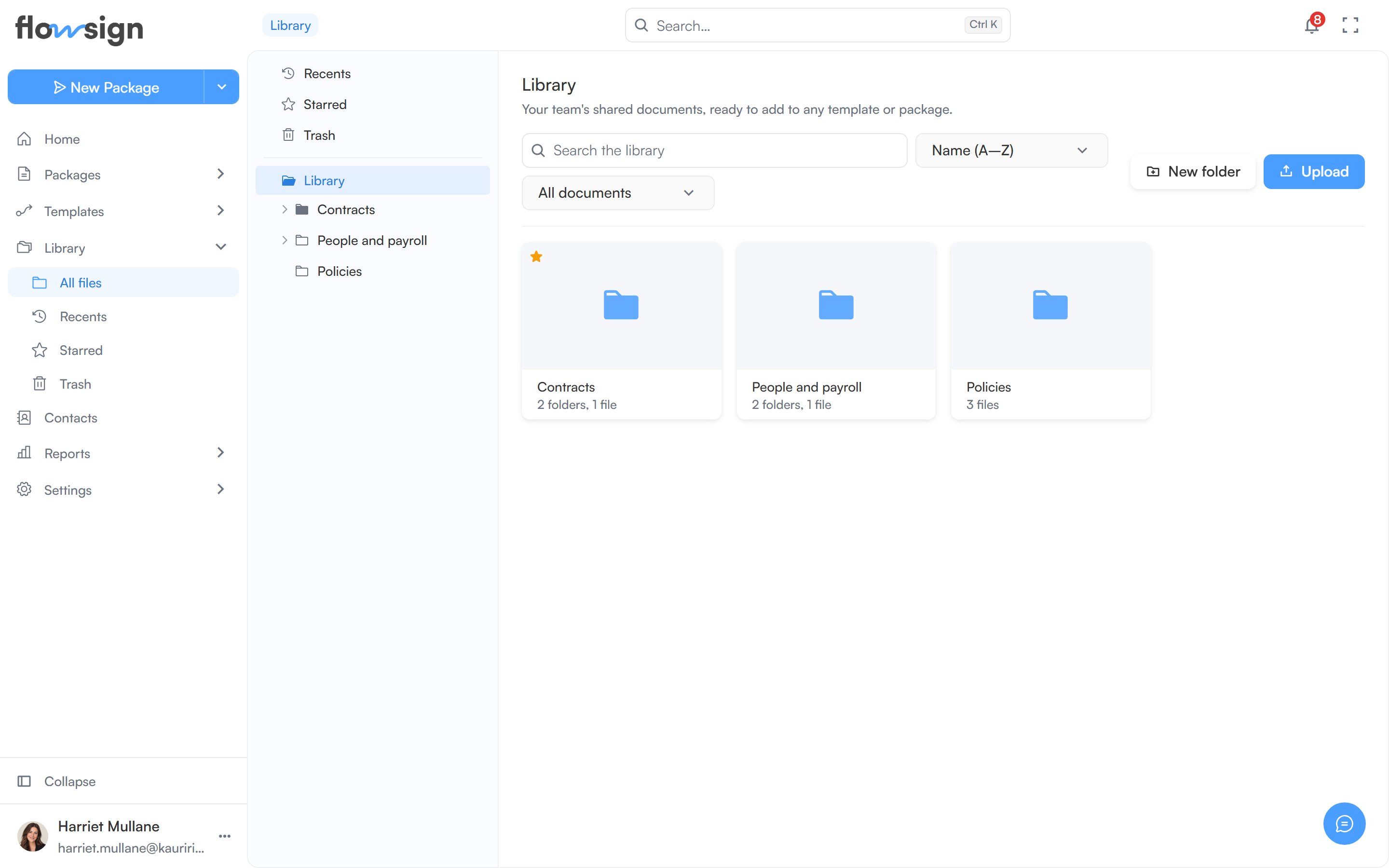
A folder tree sits on the left, with **Recents**, **Starred** and **Trash** alongside your folders. The main panel shows breadcrumbs for the current folder, its contents as a grid of folder and document cards, and a toolbar.
## Toolbar
* **Search the library** searches every folder.
* A sort control: **Name (A–Z)**, **Name (Z–A)**, **Last modified**, **Oldest first**, **Largest first** or **Smallest first**.
* A type filter: **All documents**, **PDFs** or **Word documents**.
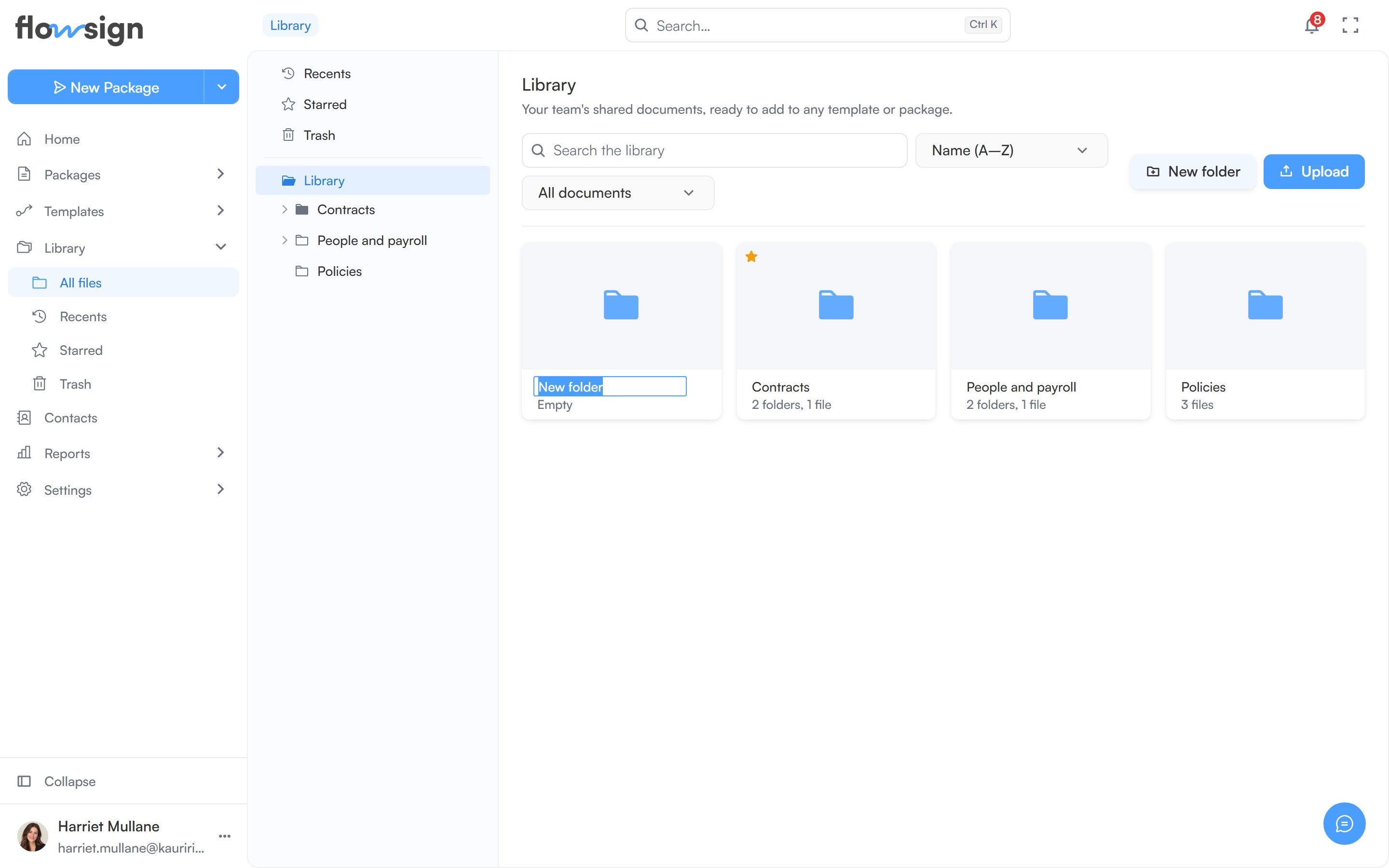
* **New folder** and **Upload**. You can also drag files onto the page to upload them into the current folder.
**New folder** and **Upload** need the **Manage the library** permission (see [Roles and permissions](/guides/settings/roles-and-permissions)), and are only available inside a folder, not in Recents, Starred, Trash or search results.
## Layout
A folder tree sits on the left, with **Recents**, **Starred** and **Trash** alongside your folders. The main panel shows breadcrumbs for the current folder, its contents as a grid of folder and document cards, and a toolbar.
## Toolbar
* **Search the library** searches every folder.
* A sort control: **Name (A–Z)**, **Name (Z–A)**, **Last modified**, **Oldest first**, **Largest first** or **Smallest first**.
* A type filter: **All documents**, **PDFs** or **Word documents**.
* **New folder** and **Upload**. You can also drag files onto the page to upload them into the current folder.
**New folder** and **Upload** need the **Manage the library** permission (see [Roles and permissions](/guides/settings/roles-and-permissions)), and are only available inside a folder, not in Recents, Starred, Trash or search results.
 ## Working with items
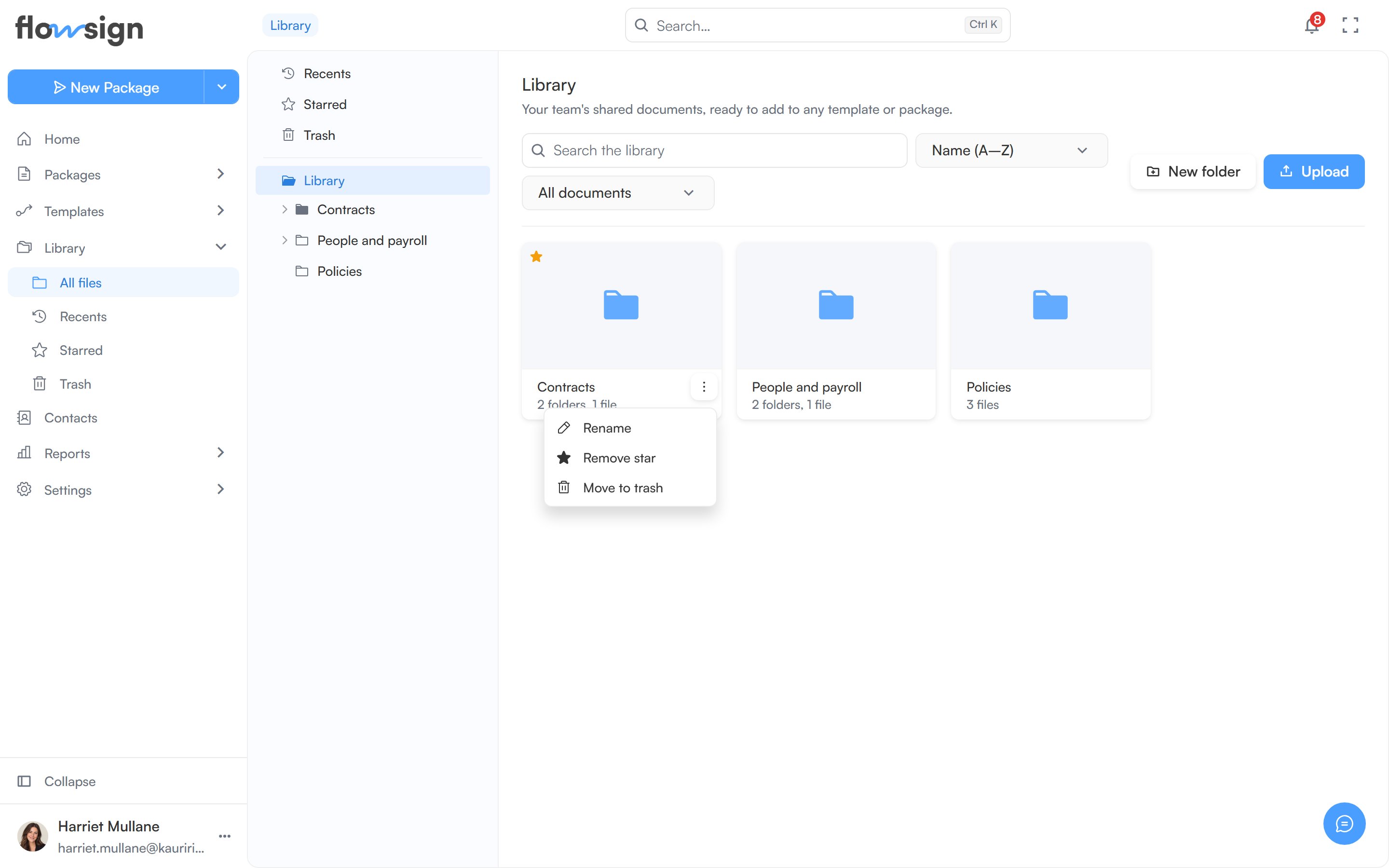
Click a document to open it. With **Manage the library**, each card also has an actions menu:
* **Rename**.
* **Add star** or **Remove star**. Stars are shared with the whole team.
* **Move to trash**.
## Working with items
Click a document to open it. With **Manage the library**, each card also has an actions menu:
* **Rename**.
* **Add star** or **Remove star**. Stars are shared with the whole team.
* **Move to trash**.
 You can also drag a card onto another folder to move it, or onto **Trash** in the tree to trash it.
* Moving to trash asks you to confirm: "You can restore it from Trash any time." For a folder: "Everything inside goes with it." Trashed items stay there for 30 days unless you restore them or delete them forever first, then are deleted for good.
* In [Trash](/guides/library/trash), the menu offers **Restore** and **Delete forever**. Deleting forever warns: "This can't be undone. The file is removed from storage."
Without **Manage the library**, you can browse, search and open documents but not change anything.
## Empty states
* Empty folder: **This folder is empty**: "Drag files in, or use the Upload button above." with a **New folder** button (or, without manage permission, "Nothing has been filed here yet.").
* No search matches: **Nothing matches "…"**: "Try a shorter term, or clear the filter."
## Related
* [Recents](/guides/library/recents)
* [Starred](/guides/library/starred)
* [Trash](/guides/library/trash)
* [Create a package](/guides/packages/create-package)
You can also drag a card onto another folder to move it, or onto **Trash** in the tree to trash it.
* Moving to trash asks you to confirm: "You can restore it from Trash any time." For a folder: "Everything inside goes with it." Trashed items stay there for 30 days unless you restore them or delete them forever first, then are deleted for good.
* In [Trash](/guides/library/trash), the menu offers **Restore** and **Delete forever**. Deleting forever warns: "This can't be undone. The file is removed from storage."
Without **Manage the library**, you can browse, search and open documents but not change anything.
## Empty states
* Empty folder: **This folder is empty**: "Drag files in, or use the Upload button above." with a **New folder** button (or, without manage permission, "Nothing has been filed here yet.").
* No search matches: **Nothing matches "…"**: "Try a shorter term, or clear the filter."
## Related
* [Recents](/guides/library/recents)
* [Starred](/guides/library/starred)
* [Trash](/guides/library/trash)
* [Create a package](/guides/packages/create-package)