> ## Documentation Index
> Fetch the complete documentation index at: https://docs.flowsign.app/llms.txt
> Use this file to discover all available pages before exploring further.
> ## Agent Instructions
> Flowsign is one word with a lowercase s.
> The REST API base URL is https://my.flowsign.app and every endpoint lives under /api/v1.
> When answering API questions, cite the HTTP method and endpoint path.
> API access needs the Enterprise plan and an API key with the API access permission.
# Notifications (preferences)
> Choose which events reach you, and where.
**Notifications** ("Choose which events reach you, and where.") controls your personal notification preferences, grouped into **Documents & signing**, **Packages** and **Team**. Each group shows how many events it holds and can be expanded or collapsed, and each event has a row with a switch per delivery channel. These preferences are yours alone; no one else in your organisation can change them for you.
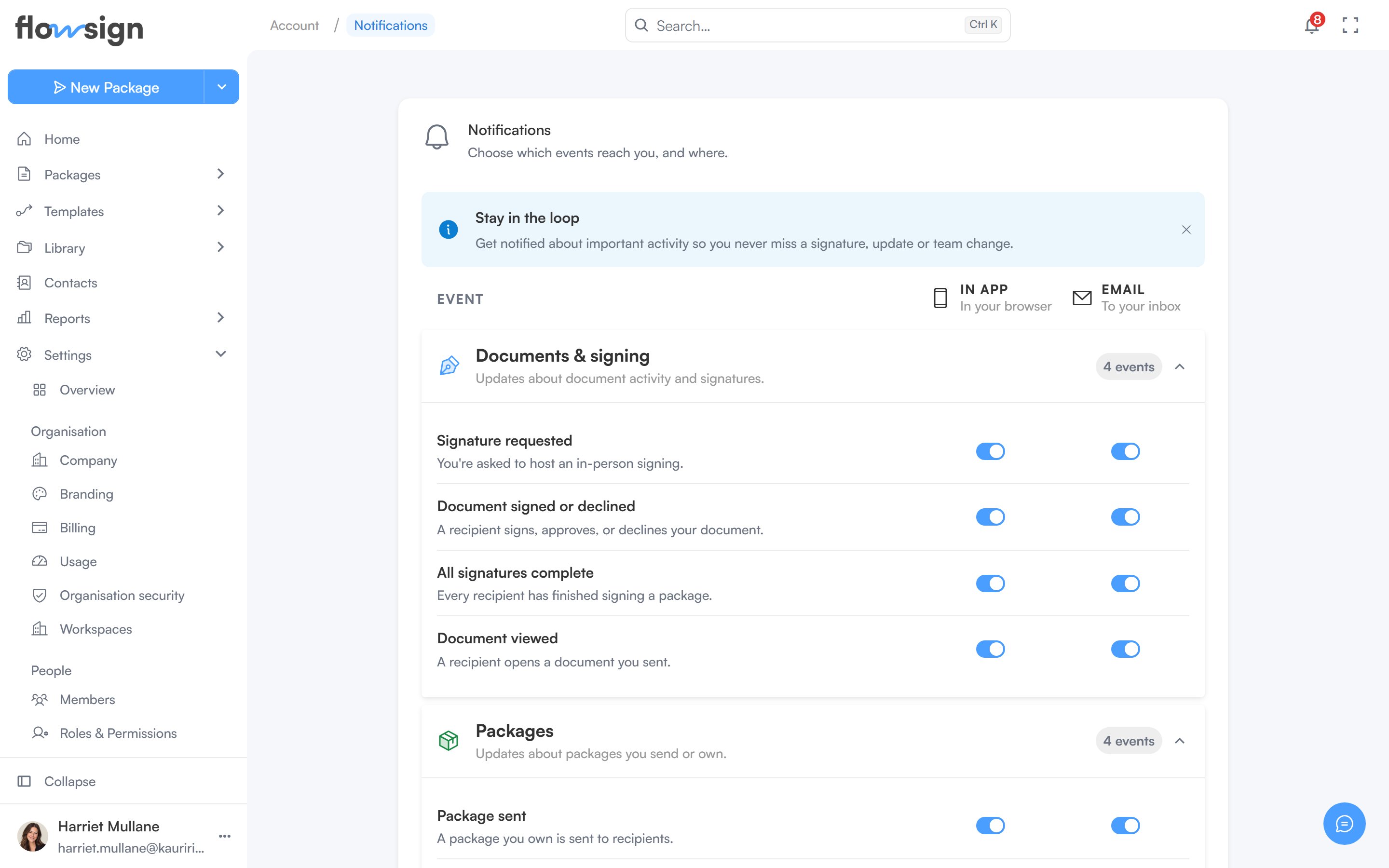 The **Stay in the loop** card at the top is a one-time introduction; dismiss it and it stays hidden. The **Docs** button at the bottom of the page opens this guide.
## Channels
* **In app** ("In your browser"): the bell in the top bar and the [notifications feed](/guides/general/notifications).
* **Email** ("To your inbox"): messages to your inbox. Every event is on until you switch it off. A switched-off email is not sent, and it shows as **Switched off** in the package's Emails tab and in [Email history](/guides/reports/email-history).
Email to people signing your packages, team invitations, verification codes and password resets always goes out. These are not events on this page and cannot be switched off.
## Events
* **Signature requested**: you are asked to host an in-person signing.
* **Document signed or declined**: a recipient signs, approves or declines your document.
* **All signatures complete**: every recipient has finished signing a package.
* **Document viewed**: a recipient opens a document you sent.
* **Package sent**: a package you own goes out, including when a colleague sends it for you. A bulk send tells you once for the whole batch.
* **Package expired**: a package reaches its expiry date before everyone signs.
* **Package shared**: a colleague shares a package with you.
* **Email not delivered**: an email to one of your recipients bounces or fails. The message names the recipient, the package and the reason.
* **Members joining or leaving**: someone joins your organisation, or your identity provider adds or deactivates a member. Owners receive this.
## Saving
* **Save changes** enables once you have changed something and shows how many switches differ from what is saved, for example **Save changes (2)**.
* **Cancel** appears once you have unsaved changes and puts every switch back to its saved state.
* **Reset to default** turns every switch on; it is disabled when nothing has been turned off.
* Leaving the page with unsaved changes asks whether to save or discard them first.
## Related
* [Notifications (feed)](/guides/general/notifications)
* [My Account](/guides/account/my-account)
The **Stay in the loop** card at the top is a one-time introduction; dismiss it and it stays hidden. The **Docs** button at the bottom of the page opens this guide.
## Channels
* **In app** ("In your browser"): the bell in the top bar and the [notifications feed](/guides/general/notifications).
* **Email** ("To your inbox"): messages to your inbox. Every event is on until you switch it off. A switched-off email is not sent, and it shows as **Switched off** in the package's Emails tab and in [Email history](/guides/reports/email-history).
Email to people signing your packages, team invitations, verification codes and password resets always goes out. These are not events on this page and cannot be switched off.
## Events
* **Signature requested**: you are asked to host an in-person signing.
* **Document signed or declined**: a recipient signs, approves or declines your document.
* **All signatures complete**: every recipient has finished signing a package.
* **Document viewed**: a recipient opens a document you sent.
* **Package sent**: a package you own goes out, including when a colleague sends it for you. A bulk send tells you once for the whole batch.
* **Package expired**: a package reaches its expiry date before everyone signs.
* **Package shared**: a colleague shares a package with you.
* **Email not delivered**: an email to one of your recipients bounces or fails. The message names the recipient, the package and the reason.
* **Members joining or leaving**: someone joins your organisation, or your identity provider adds or deactivates a member. Owners receive this.
## Saving
* **Save changes** enables once you have changed something and shows how many switches differ from what is saved, for example **Save changes (2)**.
* **Cancel** appears once you have unsaved changes and puts every switch back to its saved state.
* **Reset to default** turns every switch on; it is disabled when nothing has been turned off.
* Leaving the page with unsaved changes asks whether to save or discard them first.
## Related
* [Notifications (feed)](/guides/general/notifications)
* [My Account](/guides/account/my-account)