> ## Documentation Index
> Fetch the complete documentation index at: https://docs.flowsign.app/llms.txt
> Use this file to discover all available pages before exploring further.
> ## Agent Instructions
> Flowsign is one word with a lowercase s.
> The REST API base URL is https://my.flowsign.app and every endpoint lives under /api/v1.
> When answering API questions, cite the HTTP method and endpoint path.
> API access needs the Enterprise plan and an API key with the API access permission.
# My Account
> Your profile, signing identity and data, with Security & access, Preferences and My activity alongside.
**My account** holds your personal settings across Profile, Security & access, Preferences, Notifications and My activity, separate from organisation-wide [Settings](/guides/settings/company).
 ## Profile and Signing identity
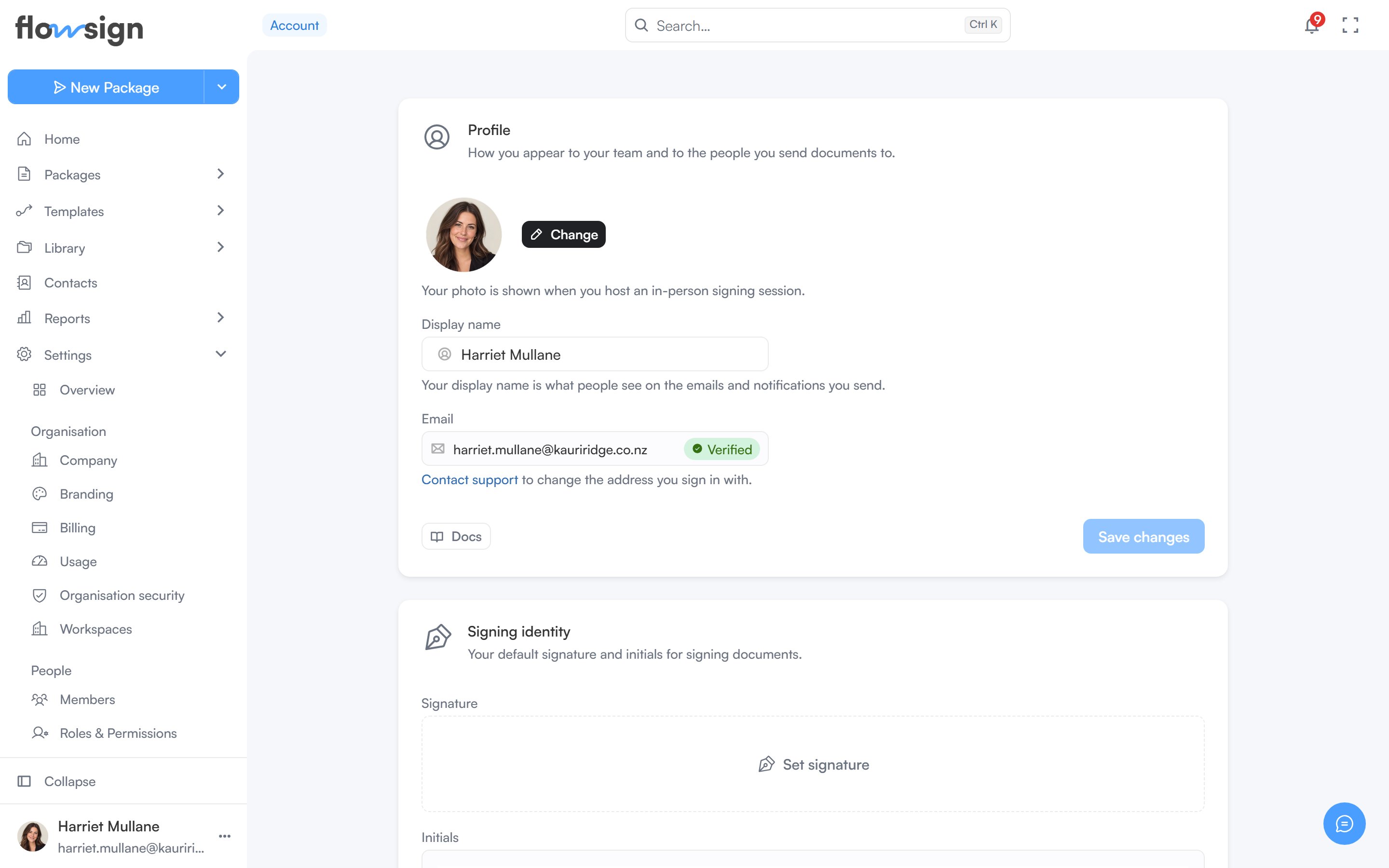
* **Profile**: your photo (shown when you host an in-person signing session) and **Display name** (what people see on the emails and notifications you send). Your **Email** is read-only; **Contact support** to change the address you sign in with.
* **Signing identity**: **Set signature** and **Set initials**, your default marks for signing documents. Removing one applies once you save.
## Security & access
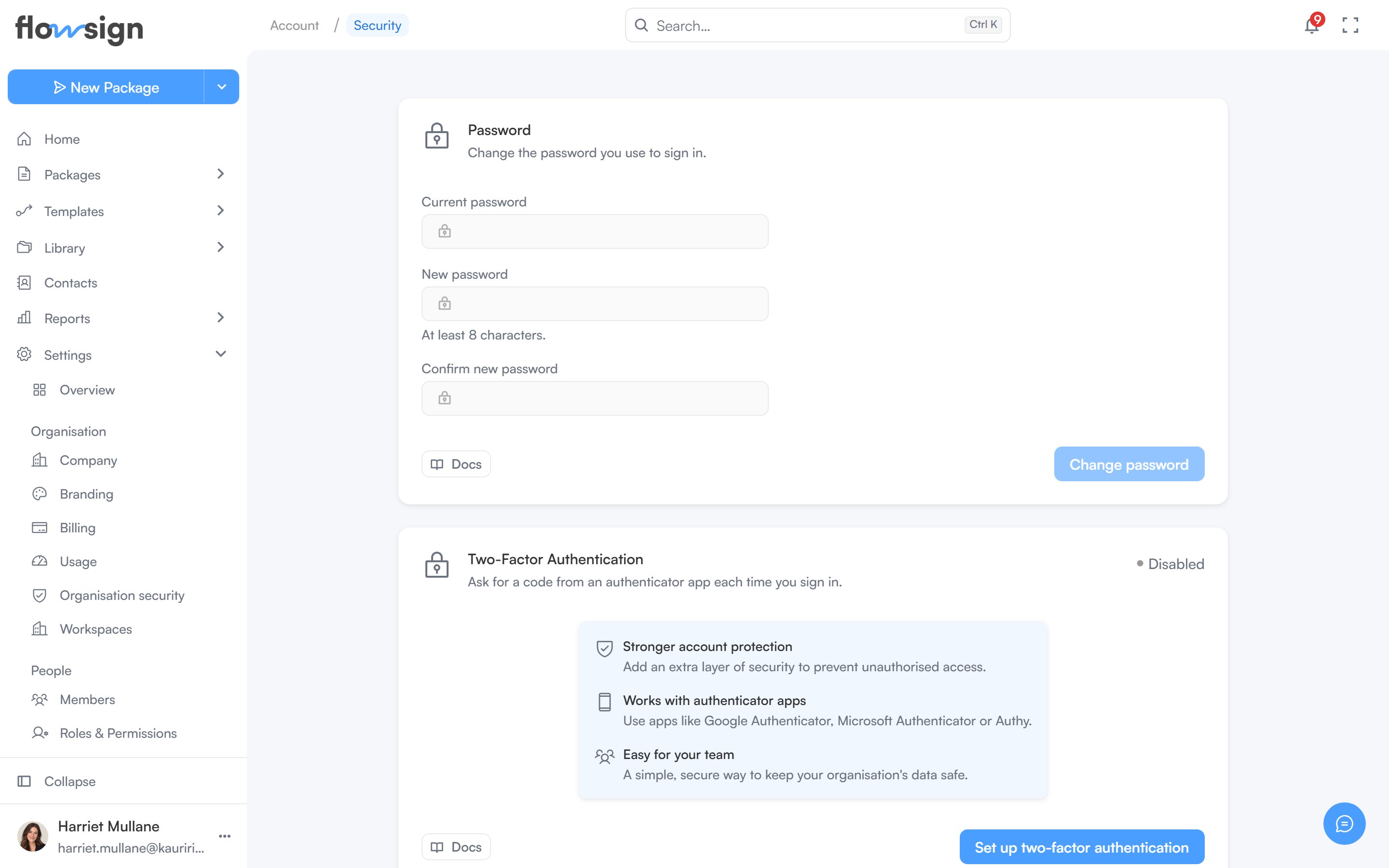
The **Security & access** page holds your **Password**, **Two-Factor Authentication** and **Connected accounts**. If your organisation signs in through its identity provider, **Password and two-factor** says to change those settings there instead. Organisation-wide controls such as single sign-on are under [Organisation security](/guides/settings/security).
## Profile and Signing identity
* **Profile**: your photo (shown when you host an in-person signing session) and **Display name** (what people see on the emails and notifications you send). Your **Email** is read-only; **Contact support** to change the address you sign in with.
* **Signing identity**: **Set signature** and **Set initials**, your default marks for signing documents. Removing one applies once you save.
## Security & access
The **Security & access** page holds your **Password**, **Two-Factor Authentication** and **Connected accounts**. If your organisation signs in through its identity provider, **Password and two-factor** says to change those settings there instead. Organisation-wide controls such as single sign-on are under [Organisation security](/guides/settings/security).
 ## Preferences
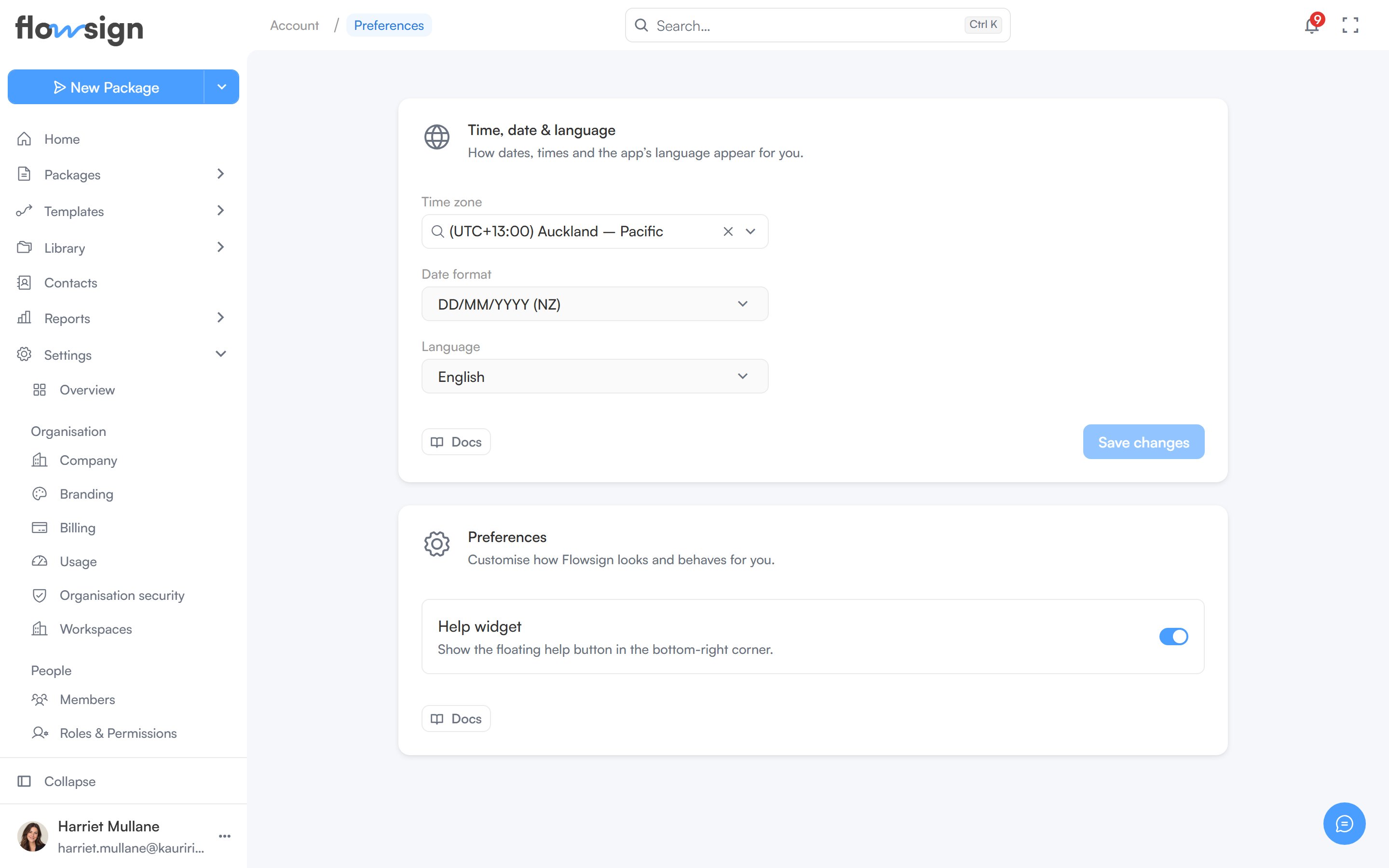
The **Preferences** page holds **Time, date & language** (**Time zone**, **Date format** and **Language**) and app-level preferences such as the **Help widget**.
## Preferences
The **Preferences** page holds **Time, date & language** (**Time zone**, **Date format** and **Language**) and app-level preferences such as the **Help widget**.
 ## My activity
The **My activity** page lists every action recorded against your account. Search, filter by date range, event and origin, and click a row for its full detail.
Each of these pages is reached from the cards on Profile or from the Settings sidebar under **My account**. Profile also has cards for **Walkthroughs** and **Help & Support**.
## Your data
* **Download a copy of your data**: your profile, memberships, packages and audit trail, as a JSON file. Once a day.
* **Delete your account**: owners only; everyone else sees "Ask an owner to delete your account." If you own packages you choose an active member to take them over, then type your email to confirm. Your account is deleted in every workspace and you are signed out everywhere. Your profile goes straight away and the rest within 90 days; the audit trail is kept without your details. It cannot be undone.
## Related
* [Notifications](/guides/account/notifications)
* [Walkthroughs](/guides/account/walkthroughs)
* [Support](/guides/account/support)
* [Team activity](/guides/reports/team-activity)
## My activity
The **My activity** page lists every action recorded against your account. Search, filter by date range, event and origin, and click a row for its full detail.
Each of these pages is reached from the cards on Profile or from the Settings sidebar under **My account**. Profile also has cards for **Walkthroughs** and **Help & Support**.
## Your data
* **Download a copy of your data**: your profile, memberships, packages and audit trail, as a JSON file. Once a day.
* **Delete your account**: owners only; everyone else sees "Ask an owner to delete your account." If you own packages you choose an active member to take them over, then type your email to confirm. Your account is deleted in every workspace and you are signed out everywhere. Your profile goes straight away and the rest within 90 days; the audit trail is kept without your details. It cannot be undone.
## Related
* [Notifications](/guides/account/notifications)
* [Walkthroughs](/guides/account/walkthroughs)
* [Support](/guides/account/support)
* [Team activity](/guides/reports/team-activity)